One model. Every size.
Parametric drawings - in the app or through the API.
Draw it once. Make it in any size.
In ParametrIQ, a drawing isn't a set of lines at fixed positions. Every point is defined from other points and from named values: the box's length L, its width W, the depth of a flap. Change a value and every line, crease, hole and dimension that depends on it moves to suit.
So a carton drawn for one product fits the next one too. Type a new size, check the blank, and send it to the cutting table.
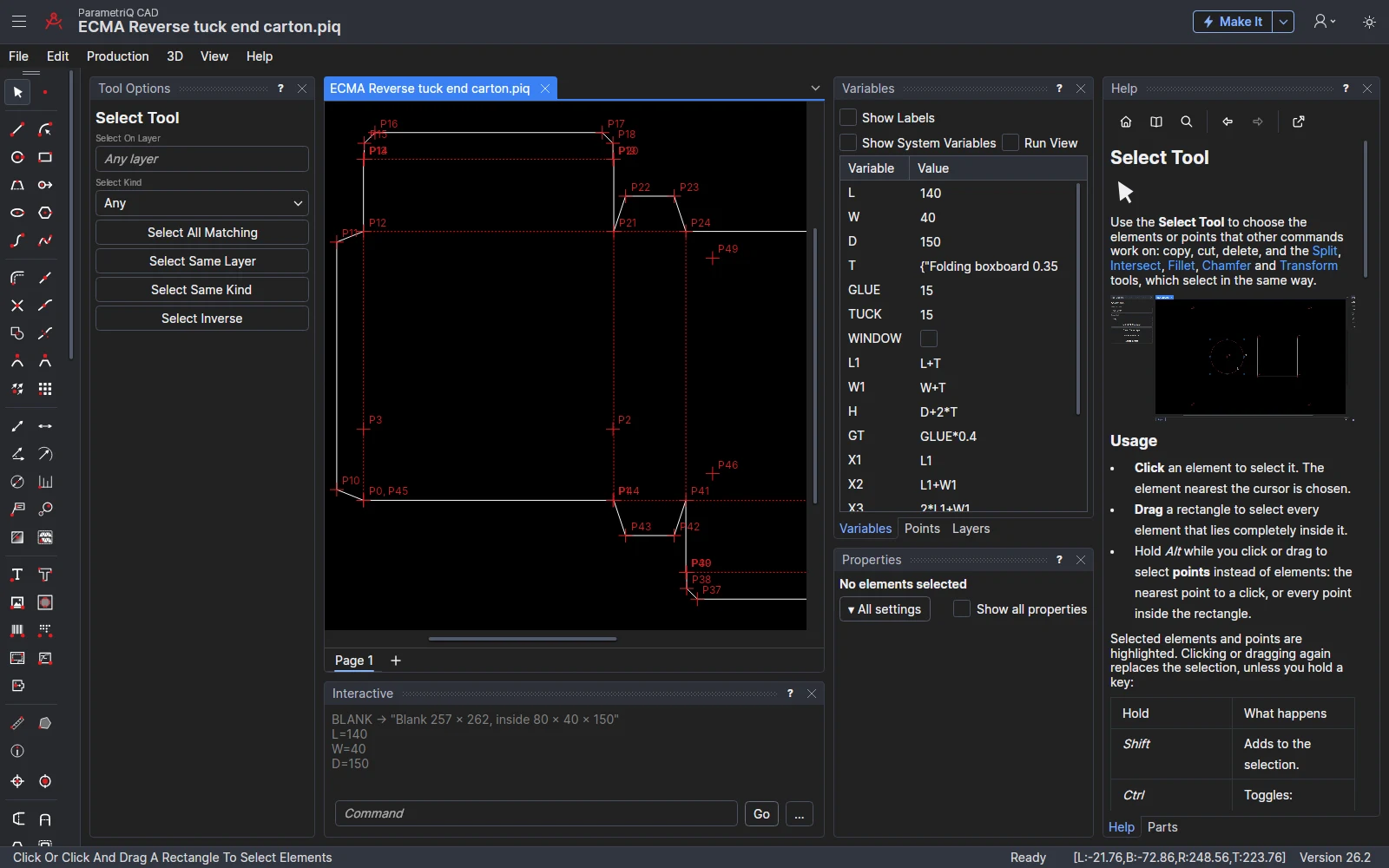
L=140 and D=110: every panel, flap and window followed.Three ways to use the same model
ParametrIQ CAD
The desktop CAD program. Draw with the mouse using snap modes that tie each new point to the ones already there, or type commands. Dimension it, nest it on a sheet, make its die, fold it up in 3D, and export it to DXF, CF2, DDES3, G-code, HP-GL, LightBurn, DSTV NC, IFC, STEP, AAMA/ASTM DXF, a print-ready dieline PDF, Illustrator or SVG, straight to a machine with its profile, or as a 3D proof that opens in a web browser.
PiQ Lang
The language every ParametrIQ drawing is saved in. It reads like the design itself: P5=UP(P4,FLAP) is always FLAP above P4. Loops, conditions, functions and JavaScript are there when a design needs them.
PiQ SaaS
The same parametric engine as a web service. Your quoting, ordering or production system sends a design and its sizes over HTTPS and gets the finished drawing back, with no one at a CAD station.
And before it reaches the machine
ParametrIQ Machine Emulator plays the files ParametrIQ CAD writes as the machine would run them, so you see the cutting order and the machine time before anything is cut. It's free with a ParametrIQ account.
And the pack it goes in
ParametrIQ Pack Designer makes cans, bottles, pouches, crisp packets and more in 3D from their sizes, with your artwork, for your cartons and shelves. Free with an account.
And free apps around it
View any drawing, make a box from a standard style, work out sheet yields, die prices, cut lists, frames, pallet loads and how high a box stacks, nest parts on hides clear of their flaws, plan carpet seams, quote cut vinyl, convert files in batches and queue jobs for your machines, all with ParametrIQ CAD's own engine. And check a dieline right here on the website.
What's new
New from Product, accessories and fitments, vector and Photoshop artwork, the Dieline Check on this site, and thirteen free apps: everything added lately, newest first.
How it works
Name the sizes
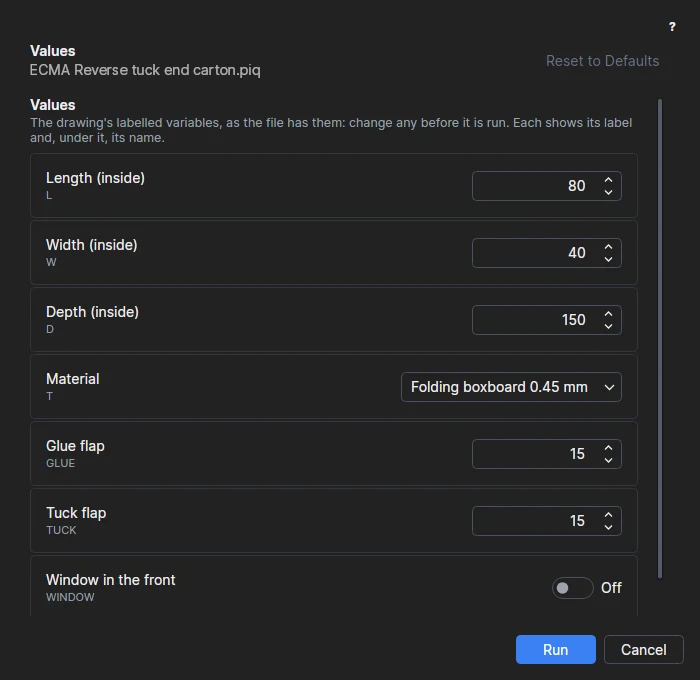
Every drawing starts with L, W and D. Add your own: GLUE=15, TUCK=D/2, a material chosen from a list.
Draw on points
Click from point to point. Each click becomes a point defined from the others, so the shape remembers how it was built, not just where it ended up.
Change a value
Set a new length in the Variables panel, or type L=600. Lines, arcs, text and dimensions all follow, and so does every copy in a nest.
Make it
Export for a die maker, a plotter, a laser or a router, or let your own systems call the API and do it for you.
Ready-made designs, ready to resize
ParametrIQ CAD comes with a library of 189 parametric designs from 18 trades. Choose one, fill in the sizes and options it asks for, and it draws itself, with the material's thickness already allowed for.
- Packaging: more than 40 styles: FEFCO 0200 to 0204 and 0427, ECMA tuck end and seal end cartons, crash-lock and snap-lock bottoms, mailers, pizza boxes, display trays, bottle carriers, sleeves, pillow boxes, hexagonal and pyramid cartons, all ready to fold up in 3D.
- Sheet metal, HVAC and pipework: enclosures, brackets, channels and vent panels; ducts, elbows, transitions and reducers; pipe branch, mitre and lobster-back templates.
- And more: structural steel plates and cleats, flange and manway gaskets, laser-cut boxes, gears and signs, carpentry from stair stringers to cabinets, sewing patterns, sign panels and vinyl decals, picture mounts and frames, rugs and room cut plans, labels, leather goods, foam inserts, mirrors and shower screens, and worktops and tile layouts.
Save your own designs into the library with File › Save to Library… and they are listed in the same way, or describe one to File › Ask Claude… and Claude writes it as a parametric design.
Each drawing says its trade, and the toolbar offers that trade's tools: flaps and tear strips for packaging, bend lines and reliefs for sheet metal, weed borders for vinyl, stitch lines for leather, and so on through 18 industries.
Start drawing parametrically
Try PiQ Lang in your browser now, or choose a plan for ParametrIQ CAD and the API.