Small programs for the jobs around the design.
Free apps on ParametrIQ CAD's own engine: view any drawing, make a box, work out sheet yields, dies, cut lists, frames, pallet loads and how high a box stacks, nest parts on hides clear of their flaws, plan carpet seams, quote cut vinyl, convert files in batches, and queue jobs for your machines.
The same engine as ParametrIQ CAD
Each app reads and writes drawings with ParametrIQ CAD's own readers and writers, runs its library's designs exactly as CAD runs them, and nests and makes dies as CAD does, so what it gives you is what CAD would. Each is a separate download, licensed like ParametrIQ CAD on two computers, in English, Spanish and Chinese.
Open any drawing ParametrIQ reads (.piq, CF2, DDES, DXF, HP-GL, G-code, PDF, SVG, EPS and Illustrator), flat or folded in 3D. Turn its layers on and off, measure between points, and export it to PDF, DXF, CF2, DDES, SVG, HP-GL or PNG.
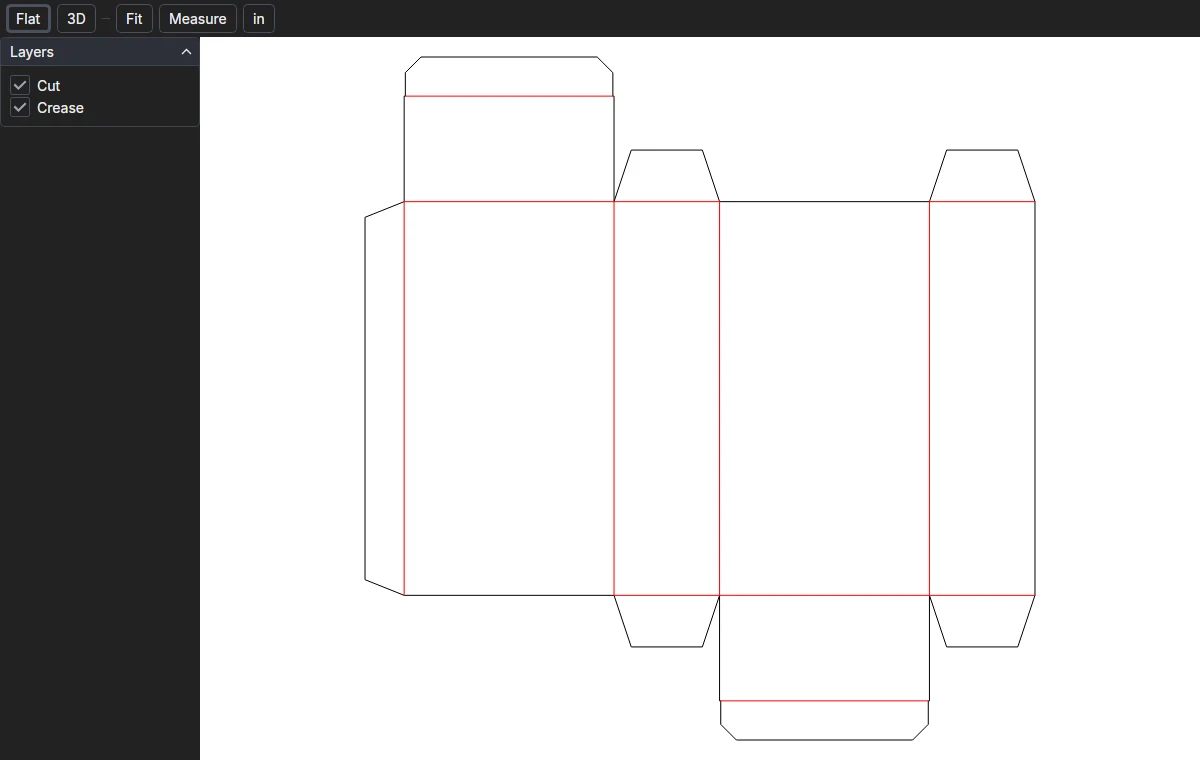
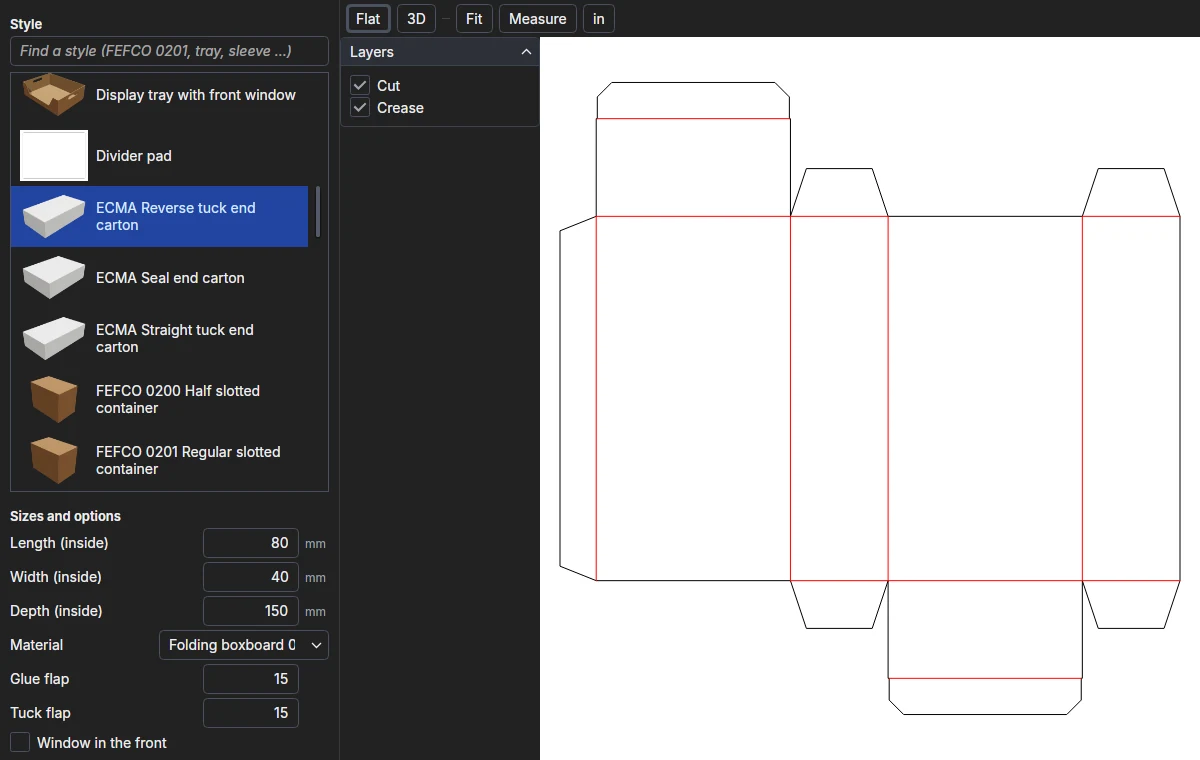
Choose one of the 45 standard styles in ParametrIQ CAD's packaging library (FEFCO, ECMA, trays, sleeves, mailers), type its length, width and depth, and see the dieline and the folded box. Export the dieline as CF2, DDES, DXF or PDF for the sample-maker.
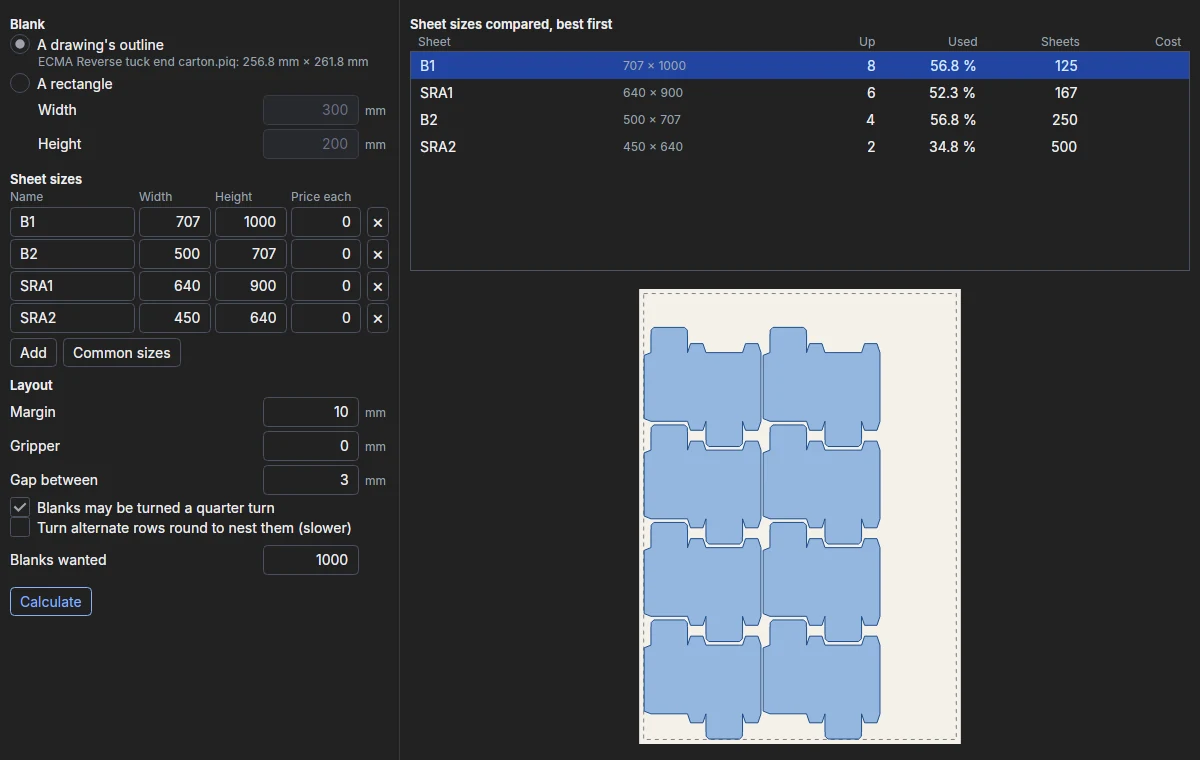
Open a dieline or type a rectangle, list your sheet sizes and their prices, and see how many up each one takes, laid out as ParametrIQ CAD's NEST lays it, how much of the sheet is used, and what the sheets for your quantity cost.
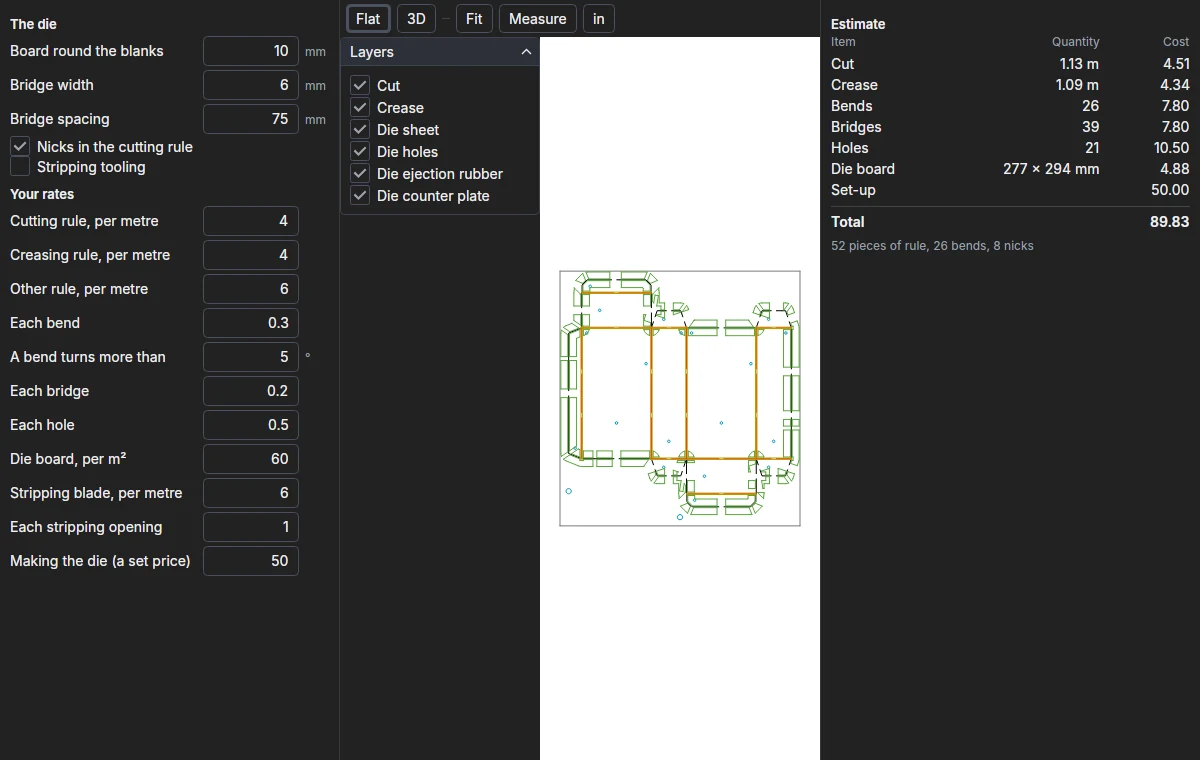
Open a dieline and see the steel-rule die it takes, made as ParametrIQ CAD's Make Die makes it: rule by kind, bends, bridges, nicks, holes, die board and stripping, priced line by line from your own rates.
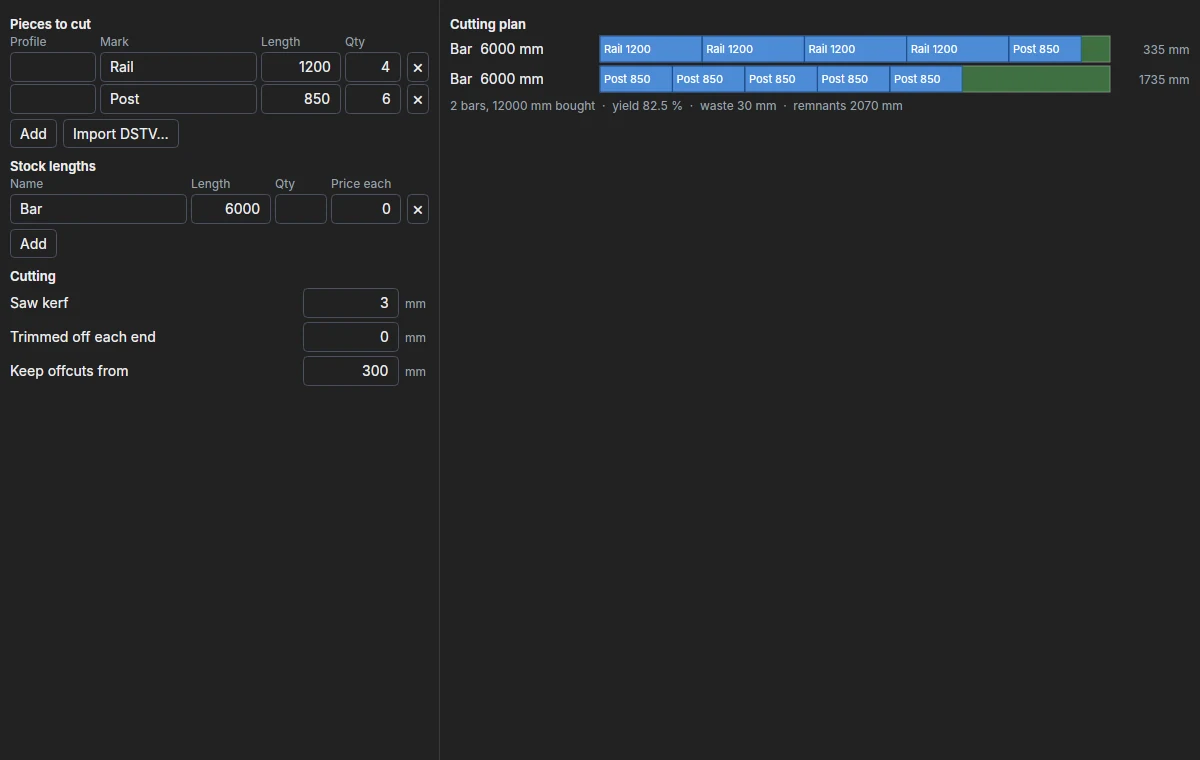
Type the lengths to cut, or import DSTV NC files, and the stock lengths you buy. The optimiser lays the pieces on the bars with the least waste, counting the saw's kerf and keeping usable offcuts, a profile at a time.
Convert many drawing files at once to PDF, DXF, CF2, DDES, SVG, HP-GL or PNG, or for a machine with ParametrIQ CAD's machine profiles. Or watch a folder: each drawing put in it is converted as it arrives.
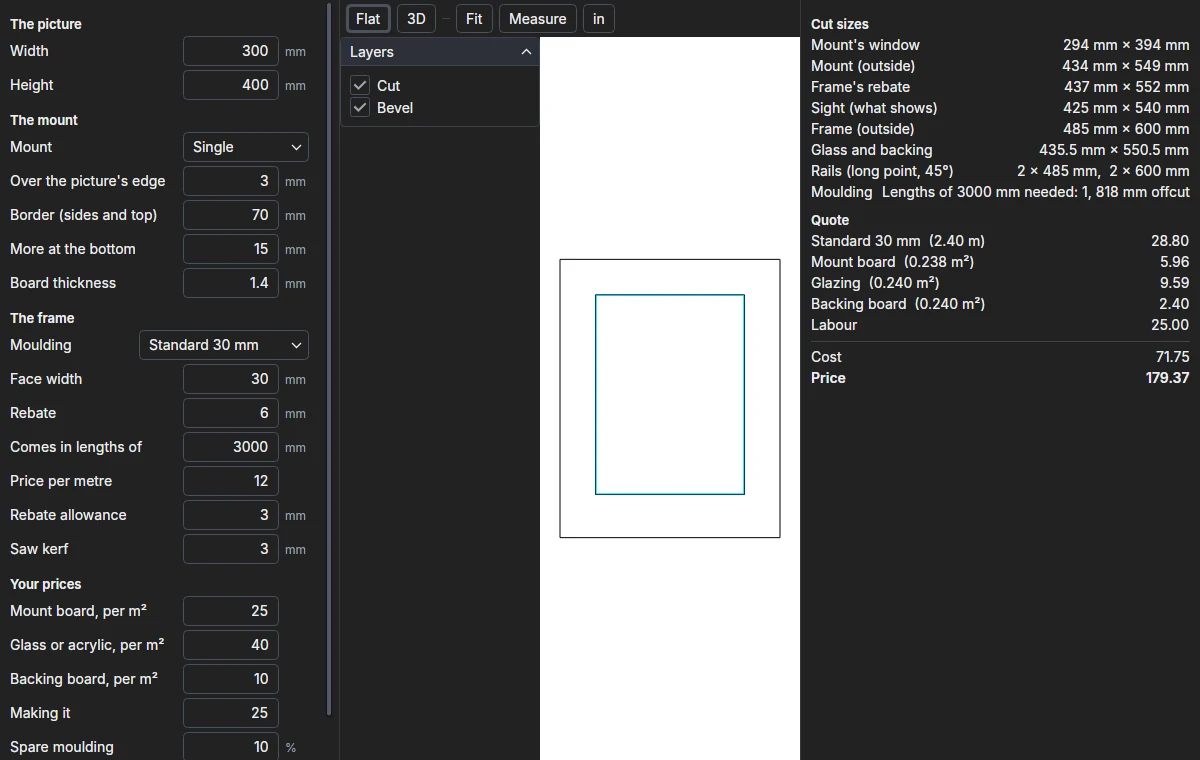
Type a picture's size and choose its mount and moulding to get the mount's windows, the rebate, sight and outside sizes, the rails cut from the moulding's lengths, the glass and backing, a price, and the mount drawn for a computerised mat cutter.
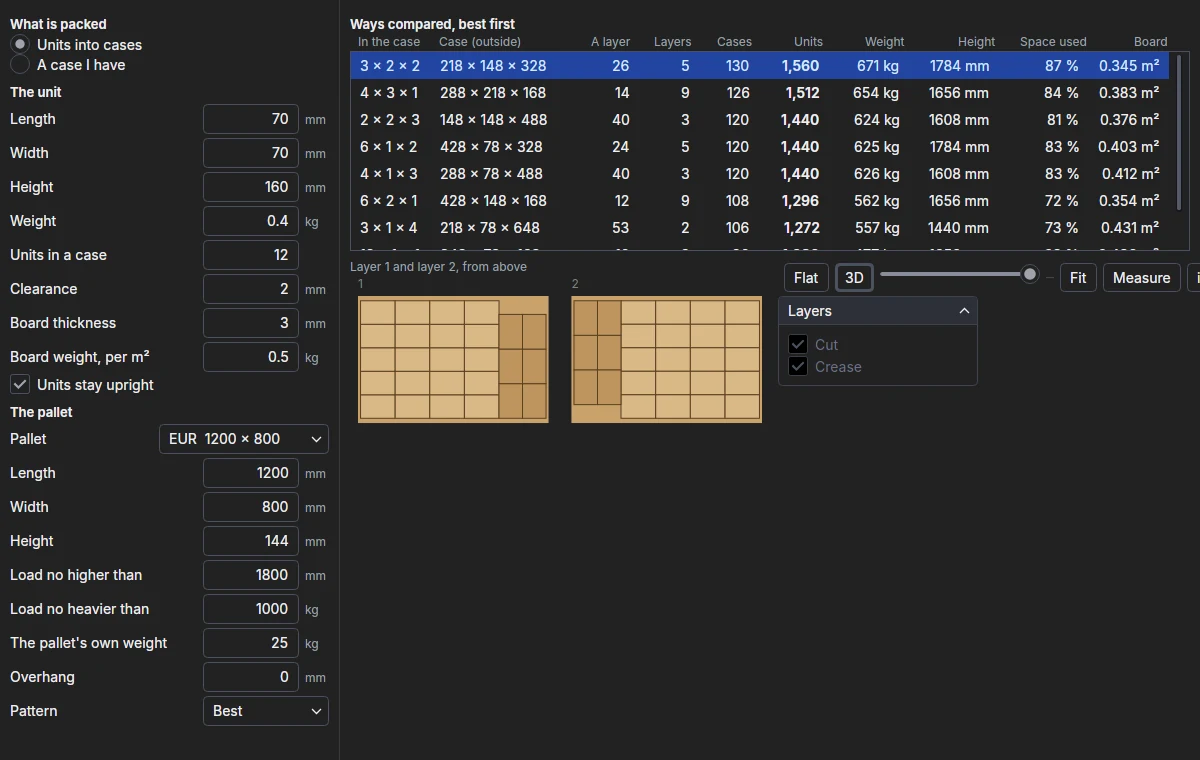
Type a unit's size and weight and how many go in a case, choose the pallet and its height and weight limits, and compare every way to pack them: the case each way makes, the cases on a layer, the layers and the units on the pallet, laid out as ParametrIQ CAD's pallet scene lays them. See the chosen case on its pallet in 3D, and export its dieline.
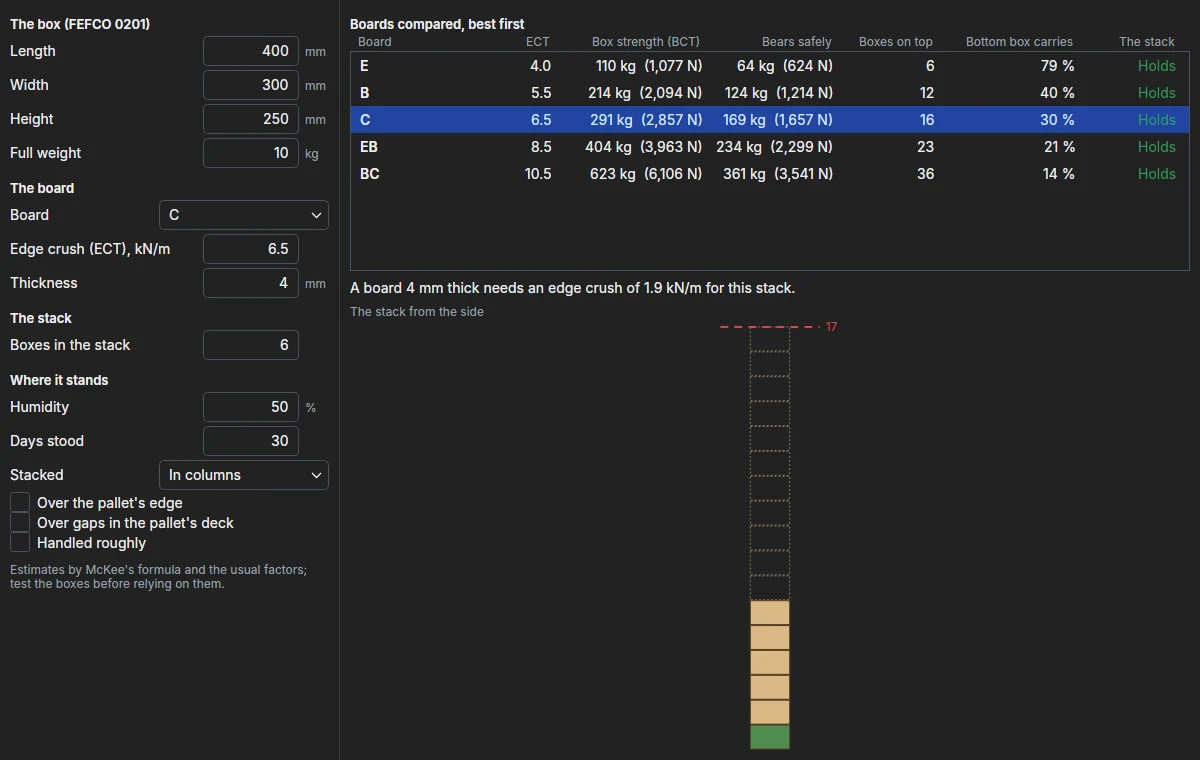
Type a corrugated box's size and full weight, its board and how it is stacked and stored, and see how high it stacks safely on every common board at once: the box's strength by McKee's formula, what it bears in damp and over time, and the edge crush your stack needs.
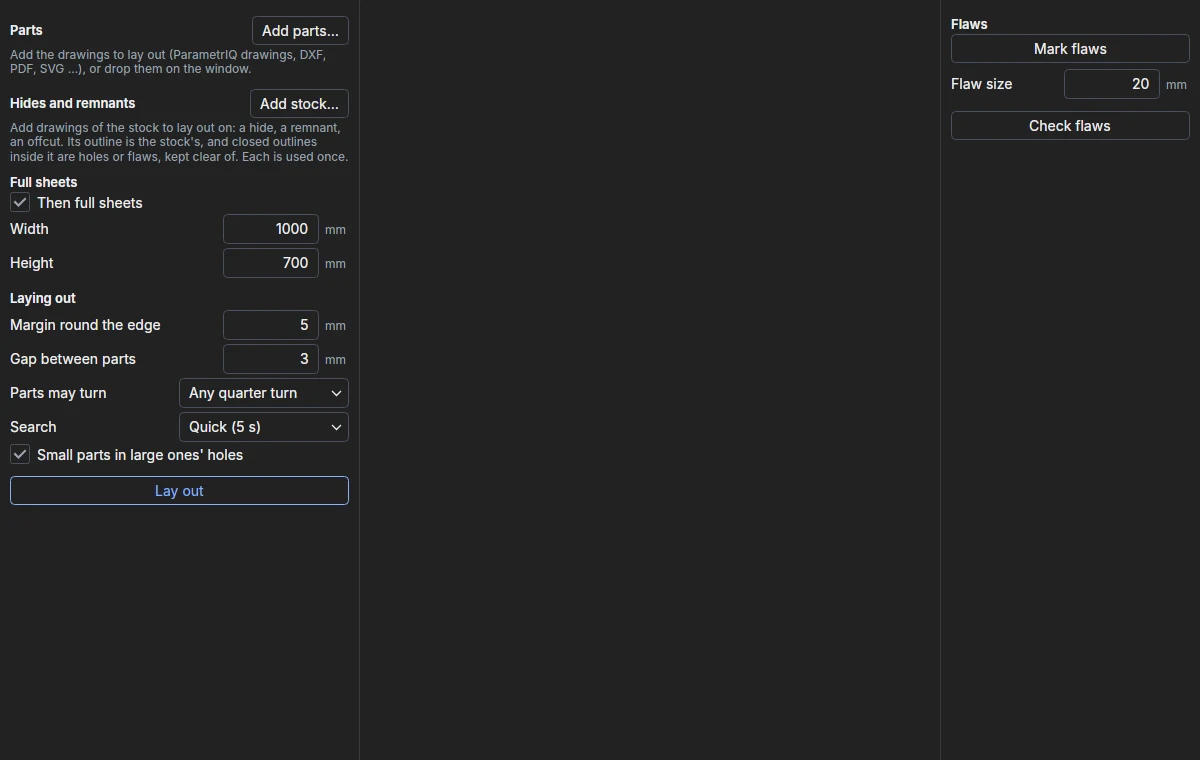
Lay out parts of any shape on hides, remnants and sheets with ParametrIQ CAD's own true-shape nesting. Mark the flaws on each hide with a click and the parts keep clear of them; find a flaw after the layout is made, and the flaws check shows the parts over it.
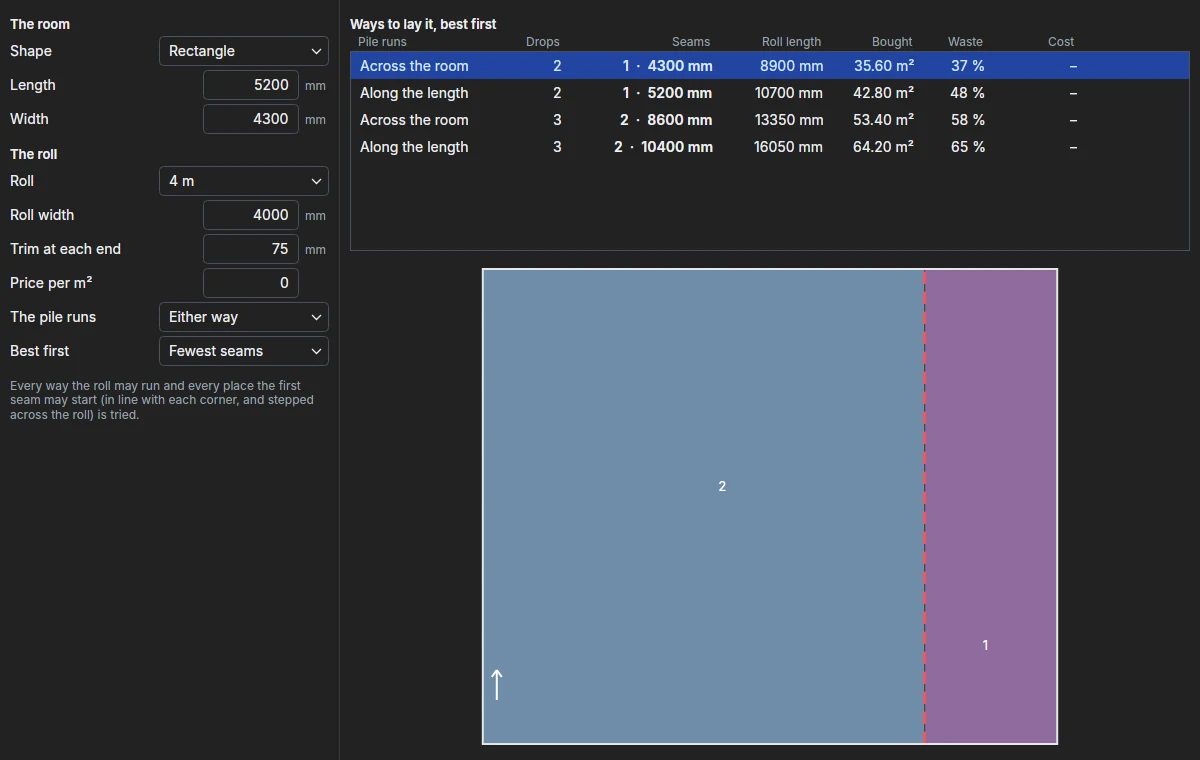
Lay a roll of carpet or sheet flooring in a room, a rectangle, an L or your own drawing, with the fewest seams or the least carpet: every way it may run and every place the seams may start tried with ParametrIQ CAD's own roll layout, the chosen one exported with its cutting plan.
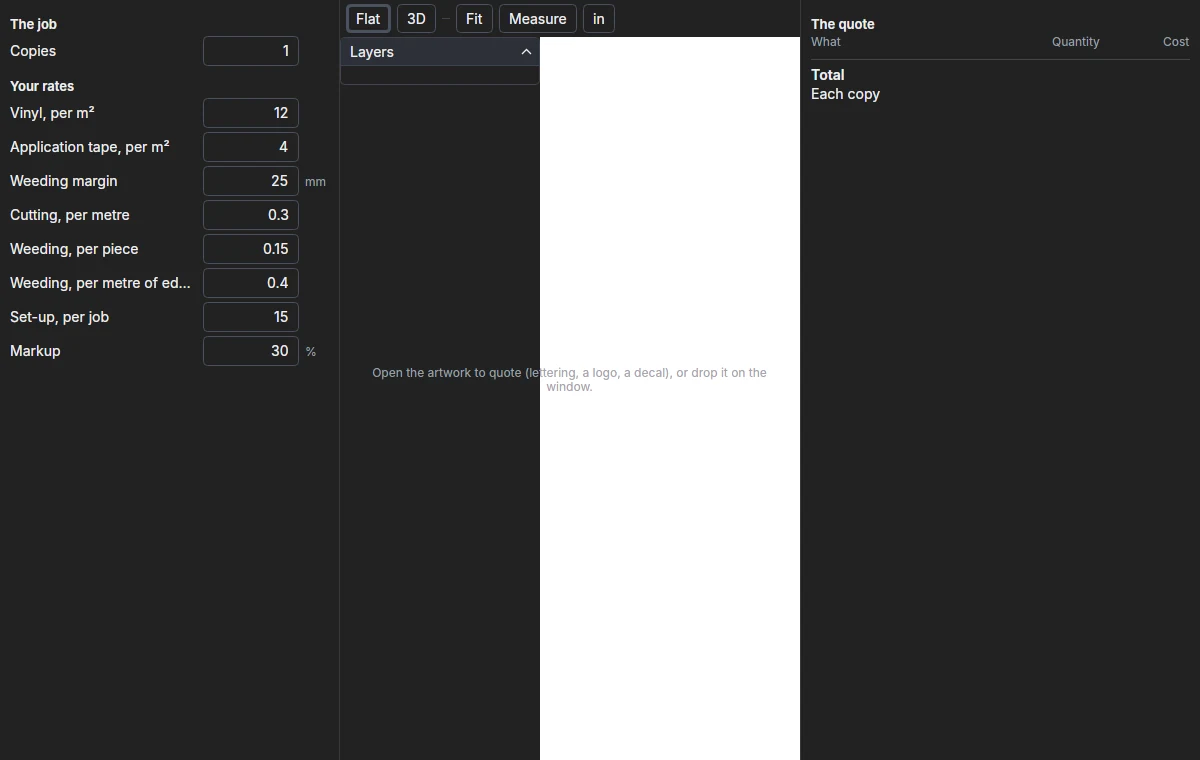
Open the artwork for cut vinyl, lettering, a logo or a decal, and price it at your own rates: the vinyl and application tape it takes, the length cut and the pieces to weed, for as many copies as you want, with a set-up and a markup.
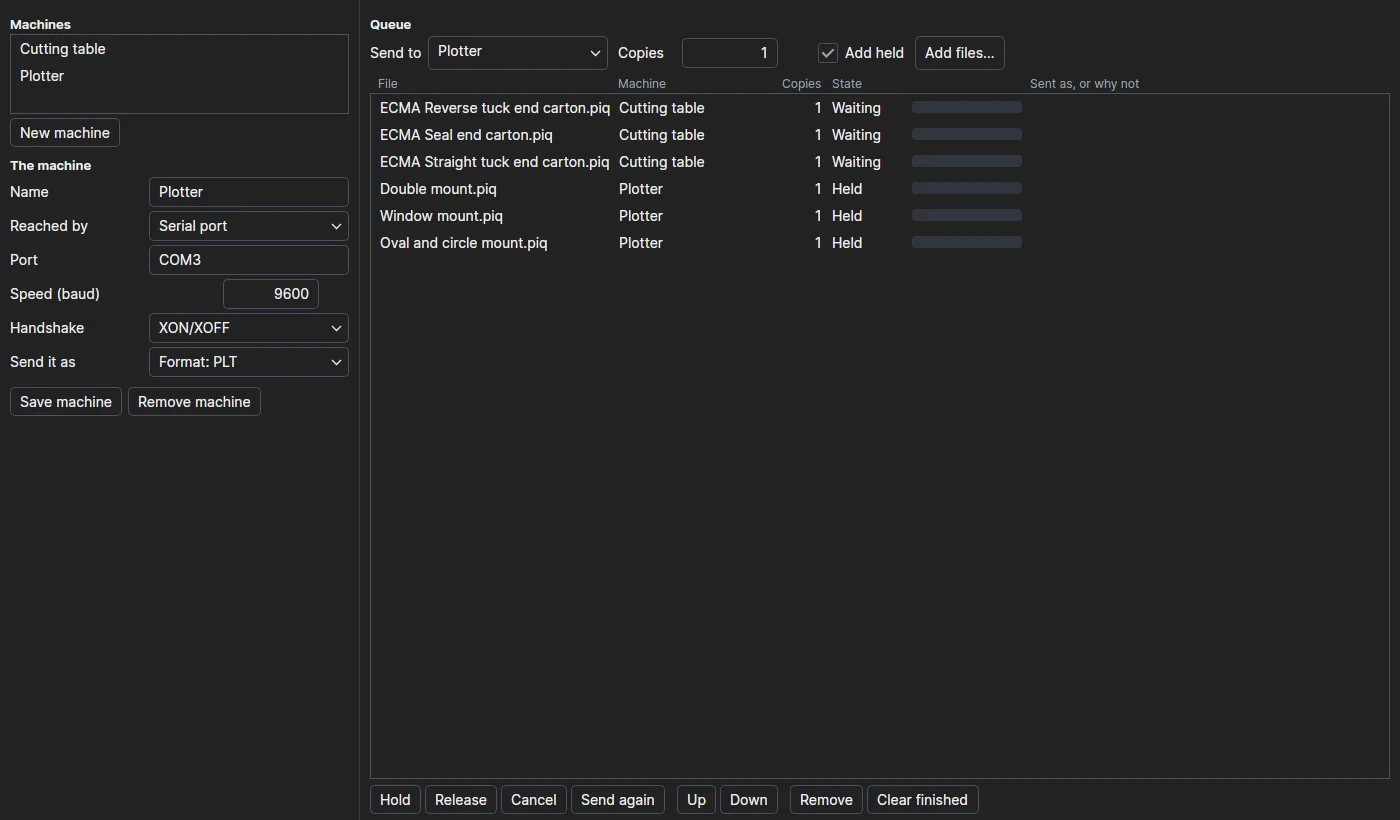
Queue jobs for your machines and send them: to a folder the machine reads, its network port, its serial port or the Machine Emulator. Each drawing is made into the machine's profile or format with ParametrIQ CAD's own writers on the way. Hold, release, reorder, cancel and send jobs again; the queue is kept between runs.
Design Gallery
190 parametric designs from ParametrIQ CAD's library: FEFCO and ECMA boxes, and designs for every trade it serves. Size one in the viewer, or download it as DXF or PDF.
Dieline Check
Upload a dieline and ParametrIQ CAD's own check finds what would stop it cutting and folding: open cut lines, folds that can't fold, stray pieces and lines of no length.
Get them all, free
Sign in, open your Licences page and ask for the licence of each app you want. Each covers every version.
The Machine Emulator and the Pack Designer are free too. ParametrIQ Machine Emulator · ParametrIQ Pack Designer