
Sewing
Pattern pieces with their seam allowances, notches and grain lines, resized by changing a measurement.
Pattern pieces for garments, bags and soft furnishings, with the marks a pattern carries: seam allowances, notches, grain lines, darts, pleats, buttonholes, fold lines and labels.
What you can design
16 parametric designs come in the library's Sewing folder (File › Run Parametric…): open one, type your sizes and the drawing follows. Open any of them in the viewer to try it.
The trade's tools
For a drawing whose industry is Sewing, the toolbar and Edit › Tool offer these tools beside the general drawing, editing and dimensioning tools. Each is parametric: change a size, or move a point it was drawn on, and what it made follows.
 Seam allowance
A seam allowance round a pattern piece, its corners mitred or squared off.
On the toolbar's Allowance button
 Notch
Notches square to a seam line: balance and match marks.
On the toolbar's Notch button
 Grain line
A grain line arrow, parallel to an edge if you like.
Dart
A dart from a point on an edge.
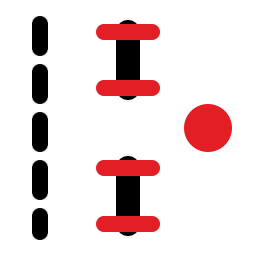 Buttonholes and buttons
Buttonholes, or buttons' places, along a line.
 Stitch line
Stitch holes, slits or marks along an edge, evenly spaced to fit it.
 Fold line, with a band skived either side
A fold, with the band skived either side of it.
 Piece label
A piece's name, how many to cut and the material, by a grain arrow.
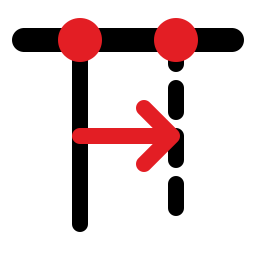 Pleat
Knife and inverted box pleat marks.
Exports
File › Export › Export… lists these formats first for a Sewing drawing:
And the formats every trade uses:
Machine profiles
File › Send Using Machine Profile sends the drawing to a machine in one click, with the format, options, layer names and pens it needs. These come with the app:
-
Cutting room CAD (AAMA / ASTM DXF)
AAMA/ASTM Pattern DXF
Apparel and soft-goods CAD and cutters: Gerber AccuMark, Lectra Modaris / Diamino, Optitex, Tukatech, Valentina
-
Emulator: Graphtec cutter (GP-GL)
GP-GL (Graphtec)
ParametrIQ machine emulator
-
Emulator: plotter / cutter (HP-GL)
HP-GL
ParametrIQ machine emulator
-
Emulator: plotter / cutter (HP-GL/2)
HP-GL
ParametrIQ machine emulator
-
Graphtec cutter (GP-GL)
GP-GL (Graphtec)
Graphtec CE / FC / CE LITE cutting plotters
-
Pattern plotter (HP-GL/2)
HP-GL
Pattern and marker plotters that read HP-GL/2 (HP DesignJet, Gerber / Lectra / Algotex plotters)
Read more
The help's page for the trade describes each tool, design, report and export in full.
Other trades
Get ParametrIQ CAD
Included in every plan. Install it, activate it, and start with File › New or File › Run Parametric…