Sheet metal
Flat patterns with the bend allowances worked out from the material, straight to the press brake.
Flat patterns for parts bent on a press brake: blanks with their bend lines, holes and slots, and reliefs where bends meet.
What you can design
14 parametric designs come in the library's Sheet metal folder (File › Run Parametric…): open one, type your sizes and the drawing follows. Open any of them in the viewer to try it.
The trade's tools
For a drawing whose industry is Sheet metal, the toolbar and Edit › Tool offer these tools beside the general drawing, editing and dimensioning tools. Each is parametric: change a size, or move a point it was drawn on, and what it made follows.
 Hole Pattern
Holes on a bolt circle (PCD), in a row or in a grid, measured from an edge.
On the toolbar's Holes button
 Slot
A slotted hole: between two points, or round a centre at a length and angle.
Bend Line
A bend line with a note of its angle and bend allowance or deduction.
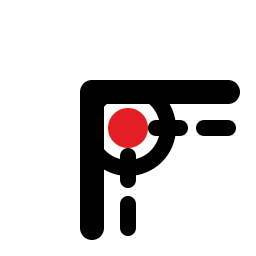 Corner Relief
A round, square or tear-drop relief where two bends meet.
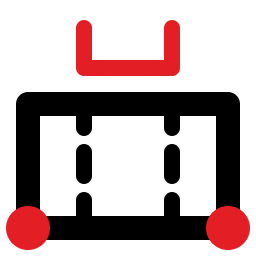 Flat Pattern
The flat blank of a bent part from its flanges' sizes, with its bend lines.
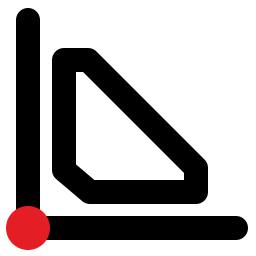 Gusset Plate
A gusset or stiffener plate in a corner, sniped, its toes cut square.
 Part Mark
Numbered part marks, to etch rather than cut.
 Seam and Hem
A seam's or hem's allowance on an edge, its corners notched.
On the toolbar's Flap or Seam button
 Louver
A row of louvers: their lances and forming outlines.
 Rectangle to Round
A rectangle-to-round transition developed flat by triangulation, concentric or offset, with its bends.
 Elbow Gores
The gores of a segmented round elbow, end and middle, laid out flat ready to cut.
On the toolbar's Segmented Bend button
Exports
File › Export › Export… lists these formats first for a Sheet metal drawing:
And the formats every trade uses:
Machine profiles
File › Send Using Machine Profile sends the drawing to a machine in one click, with the format, options, layer names and pens it needs. These come with the app:
-
Emulator: CNC (G-code)
G-code
ParametrIQ machine emulator
-
Plasma nesting software (DXF)
DXF and DWG
Plasma / oxy-fuel tables through ProNest, SigmaNEST, FastCAM, Lantek or the table's own CAM
-
Plasma table (G-code, arc lead-ins)
G-code
Plasma tables with a G-code control run directly (Hypertherm EDGE Connect, Mach / LinuxCNC / FireControl and similar)
-
Press brake flat blank (DXF with bends)
DXF with Bend Data (Press Brakes)
Press brakes and their offline programming (Delem, Cybelec, ESA, Amada and similar) that read a flat blank's DXF
-
Waterjet (DXF, cut and etch)
DXF and DWG
Waterjets through OMAX Intelli-MAX, Flow FlowXpert / FlowCut, KMT or the machine's CAM
Reports
File › Reports… works these out from the drawing, to save as a web page or as CSV:
-
Bend table
Each bend of a sheet-metal flat blank in a suggested bending order.
Read more
The help's page for the trade describes each tool, design, report and export in full.
Other trades
Get ParametrIQ CAD
Included in every plan. Install it, activate it, and start with File › New or File › Run Parametric…