VIEWPORT
A border's view area: a rectangle, square to the axes, on two opposite corner points, where a SHEET placing the border shows a page of its drawing. See Drawing sheets and borders.
Syntax
VIEWPORT p1,p2
VIEWPORT @id,p1,p2,"name","page",layer
| Argument | Meaning |
|---|---|
| p1, p2 | Two opposite corners. The viewport follows them. |
| "name" | Its name (optional): SHEETSCALE("Detail") shows its scale, and a sheet can give its page by this name (VIEW={"Detail":"Page 2"}). |
| "page" | The page (or library part) it shows when the sheet doesn't say (optional). Give it with a name before it, "" for none. |
The id, layer and any settings after it are the element settings.
Examples
P10=[20,10]
P11=[400,287]
VIEWPORT P10,P11
P12=[300,200]
P13=[400,287]
VIEWPORT @2,P12,P13,"Detail","Page 2",0
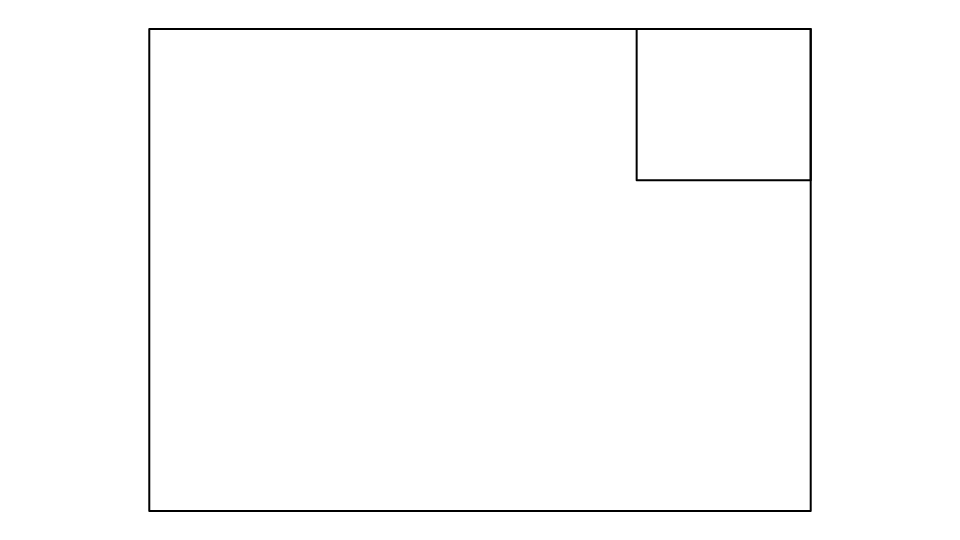
A viewport filling most of an A3 sheet, and a named one in a corner that shows Page 2 unless the sheet says otherwise.
Notes
Draw viewports with the Viewport Tool. While a border is edited a viewport is drawn as its
rectangle with its name in the middle; on a sheet it isn't drawn at all (the border draws its own frame round the view,
if it has one), and the page shown is cut to it. The first viewport is the one a sheet's VIEW="…" and
SHEETSCALE() mean when they don't say which.
See also: SHEET, Drawing sheets and borders.