NEST
A regular nest: a part, or a page of the drawing, laid out on a sheet as many times as fit, in rows and columns. It is worked out again whenever the sheet, the gaps or the part change, so it stays parametric. It is usually made with the Nest Tool.
Syntax
NEST @id,corner,"name",layer,WIDTH=w,HEIGHT=h,GUTTERX=gx,GUTTERY=gy,MARGIN=m,ROTATIONS=turns,ALTCOLUMNS=yes,ALTROWS=yes,QUANTITY=n
| Argument | Meaning |
|---|---|
| corner | Where the sheet's bottom-left corner is. |
| "name" | What is nested, by name, as PART places it: a part in the drawing's library (PARTDEF), or else a page of the drawing. |
| layer | The layer its elements fall back to (they keep their own layers, matched by name). |
WIDTH, HEIGHT |
The sheet's size (needed). |
GUTTERX |
The gap between copies side by side (0 if left out). |
GUTTERY |
The gap between copies one above another (0 if left out). |
MARGIN |
Kept clear round the sheet's edges (0 if left out). |
GRIPPER |
More kept clear at the sheet's leading edge, its bottom, where the press's grippers hold it (0 if left out). The strip counts as waste. |
ROTATIONS |
The turns the part may be given, in degrees: a number, or a list to try ({0,90}, the default). |
ALTCOLUMNS |
Whether every other column may be turned half round, so shapes interlock (TRUE, the default). |
ALTROWS |
Whether every other row may be turned half round (TRUE, the default). |
QUANTITY |
How many copies are wanted (0, the default: one sheet's worth). Every sheet is still filled; the nest works out how many sheets that takes. |
Each setting is any expression: usually a variable, so changing the variable lays the nest out again. The id, and the settings after them, are the element settings.
Examples
SHEETW=400
SHEETH=300
GAP=5
PARTDEF "Blank","P0=[0,0]\nP1=[100,0]\nP2=[100,60]\nP3=[0,60]\nPOLYLINE @1,[P0,P1,P2,P3],TRUE,0"
P4=[0,-400]
NEST @1,P4,"Blank",0,WIDTH=SHEETW,HEIGHT=SHEETH,GUTTERX=GAP,GUTTERY=GAP,MARGIN=10,ROTATIONS=0,ALTCOLUMNS=FALSE,ALTROWS=FALSE
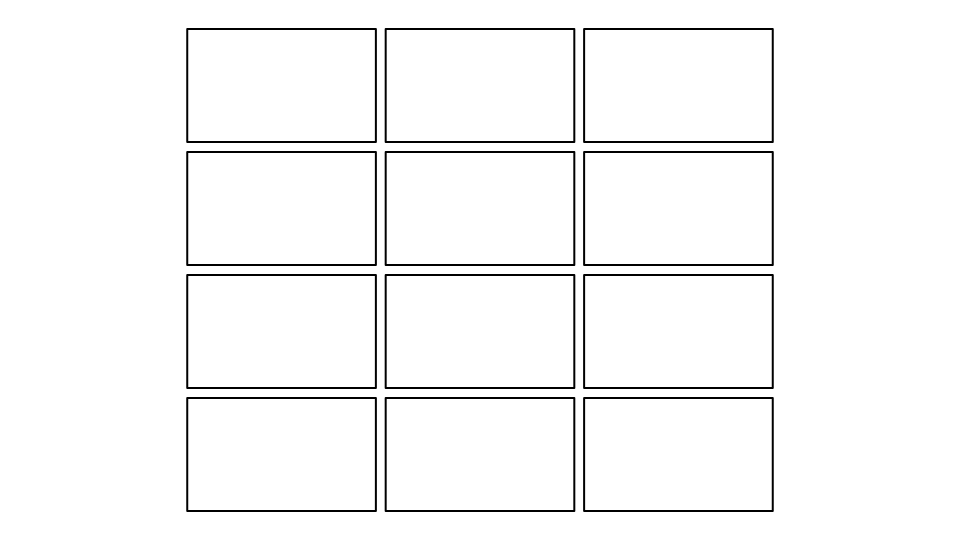
Twelve 100 × 60 rectangles, three across and four up, 5 apart and 10 in from the sheet's edges. Set GAP=50 and only
two fit across: the nest is laid out again with eight.
L=100
W=60
POLYLINE @1,[P0,P1,P2,P3],TRUE
PAGE "Sheet"
P4=[0,-400]
NEST @2,P4,"Page 1",0,WIDTH=400,HEIGHT=300,GUTTERX=5,GUTTERY=5,MARGIN=10,ROTATIONS=0,ALTCOLUMNS=FALSE,ALTROWS=FALSE
L=120
Page 1, an L × W box, nested on the Sheet page. Make the box longer and the nest is laid out again; draw more on
Page 1 and every copy shows it.
How it is laid out
- The part's outline keeps the gutter from the next copy: the outer edge of its cut lines (holes in it, and lines inside it such as creases or diagonals, are left alone: a square with its diagonals is nested as a square), or, if it has none that close, of all its lines; failing that, its extent. A concave outline (an L, a T) is kept, so its copies can interlock.
- Copies are placed on a lattice: the closest rows that keep the gutters apart, shifted along to fit the most on
the sheet. With
ALTCOLUMNSorALTROWS, every other column or row may be turned half round when that fits more, as triangles and tapered flaps interlock. - Of the turns allowed, the one that fits the most copies is used (the least waste breaking a tie).
- The part takes this drawing's values for the variables it shares with it, as a PART does:
change
Land every copy is longer, and the nest is laid out again. - If no copy fits (a part bigger than the sheet), none is drawn but the part, dotted, at the corner.
Sheets and wastage
With QUANTITY the copies wanted, the nest works out:
- Copies on a sheet: every sheet is filled, so the layout is the same whatever the number.
- Sheets: the copies wanted divided by the copies on a sheet, rounded up; the copies made (every sheet's), and how many of them are spare (the last sheet filled).
- Wastage, two ways: a sheet's (the sheet less the copies on it: the gutters, the margin, the gaps between them), and the run's (all the sheets less the copies wanted, the spare copies counted as waste).
SHEETW=400
SHEETH=300
QUANTITY=20
PARTDEF "Blank","P0=[0,0]\nP1=[100,0]\nP2=[100,60]\nP3=[0,60]\nPOLYLINE @1,[P0,P1,P2,P3],TRUE,0"
P4=[0,-400]
NEST @1,P4,"Blank",0,WIDTH=SHEETW,HEIGHT=SHEETH,MARGIN=10,GUTTERX=5,GUTTERY=5,ROTATIONS=0,ALTCOLUMNS=FALSE,ALTROWS=FALSE,QUANTITY=QUANTITY
Twelve blanks fit on a sheet; 20 wanted takes 2 sheets, 24 copies made, 4 spare. Select the nest to see this in the
Properties panel, and change the number there or in QUANTITY. For every nest in the drawing at
once, with the areas and what the sheets cost, use File › Reports… and choose Nesting › Nests and wastage (see
Reports).
Exports
The copies are exported as parts: each a subroutine or block called once per copy in CF2, DDES3 and DXF, and as their lines in the other formats and machine output.
See also: Nest Tool, PART, SWITCHPART.