Rug Border Tool
Use the Rug Border Tool to mark a rug's (or a mat's, or a runner's) border band and its binding: the lines in from its edge where the border's colour starts and where the binding or serging runs.
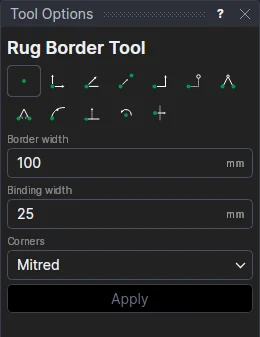
Usage
- Select the rug's outline (a closed shape; several rugs at once if you like).
- Fill in the Border width and the Binding width (0 for none).
- Choose the Corners: Mitred (as a border is), Squared off or Rounded.
- Click Apply.
The border's inner edge and the binding's are insets of the outline on the Border layer (dashed, not cut).
A border that follows the rug
Each is an OFFSET of the outline, so it follows the rug's size and shape. The widths are variables (BORD1, BIND1), shared by the next rugs.
See also: Carpet Inlay Tool, Offset Tool, Carpets and flooring.