CALLOUT
A callout: text in a box, with a leader and arrow from the box to the point it is about.
Syntax
CALLOUT anchor,at,"text"
CALLOUT @id,anchor,at,"text",layer,KEY=value,…
| Argument | Meaning |
|---|---|
| anchor | The point the callout is about: the arrow points to it. |
| at | Where the text starts: the left end of the text, half way up it. The box is drawn round the text, a margin clear of it. |
| "text" | The text, in double quotes. \n starts a new line; the lines are centred in the box. |
The id, layer and any settings after it are the element settings; the KEY=value settings are the
dimension settings (HEIGHT, ARROW, GAP for the margin, KIND, FONT, BOLD, ITALIC,
WIDTH).
Examples
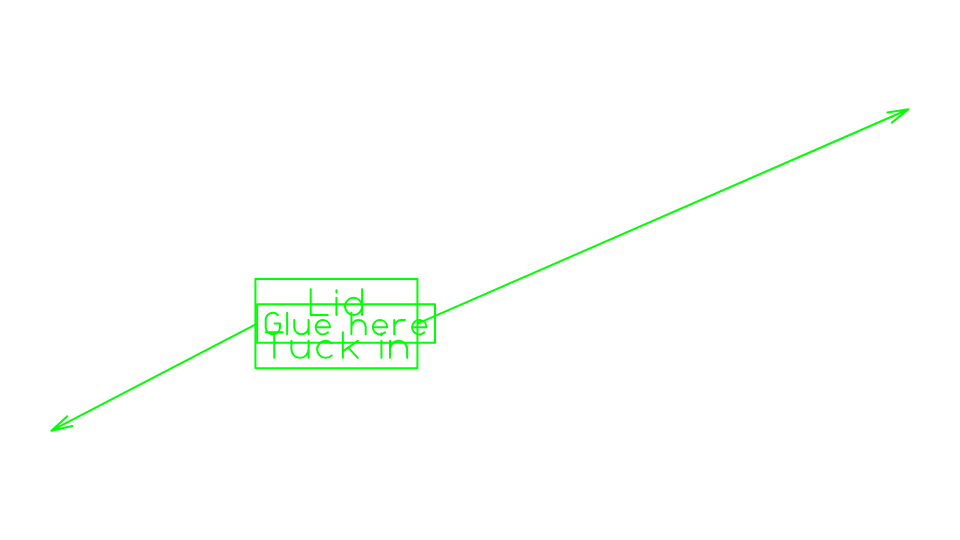
P4=[100,250]
P5=[200,300]
CALLOUT P4,P5,"Glue here",8
CALLOUT P2,P5,"Lid\nTuck in",8,HEIGHT=12
Notes
The leader runs to the middle of the side of the box that faces the anchor, and isn't drawn when the anchor is inside the box. Both points are drawing points, so the callout follows them: move the text point to move the box. The text can be changed in the Properties panel.
See also: Callout Tool, TEXT.