Pile Arrow Tool
Use the Pile Arrow Tool to mark the way a carpet's pile (nap) runs on a piece, a rug or a plan: every piece of a room is laid and seamed with its pile running the same way, or the shading shows at the seams.
Usage
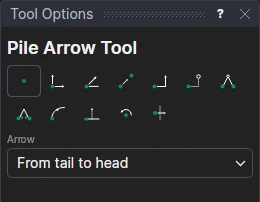
- Choose the Arrow: From tail to head, or At a point, at an angle.
- From tail to head: mark the arrow's tail, then its head (the way the pile runs).
- At a point, at an angle: fill in the Pile direction (angle) (the roll layout's PILEA1 if the drawing has one) and the Pile arrow length, then mark the arrow's centre.
The arrow, labelled PILE, goes on the Dimension layer: it is printed on plans, not cut.
An arrow that follows the drawing
The arrow is drawn on the points marked, so it moves with them. Placed at an angle, its angle and length are variables (PILEA1, ARROWL1): when it shares PILEA1 with a roll layout, turning the layout turns the arrow.
See also: Roll Layout Tool, Carpets and flooring.