Making a Die
Production › Make Die… makes the steel-rule die for the drawing: a new page of the same drawing (named after the page it is made from: Page 1 – die), each kind of line on a layer of its own, with a report of the rule it takes and an estimate of its cost in the drawing's Interactive window. The page you made it from is left as it is, and the new page is undone in one.
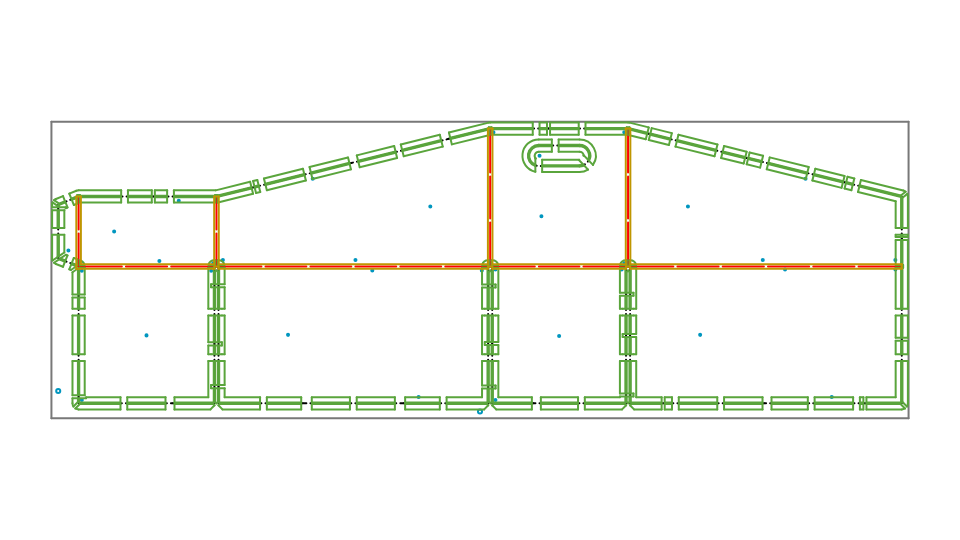
To find what would spoil the die first (cut lines left open, folds that stop short, several pieces of board where there should be one), use Production › Check Dieline….
The die is made from the drawing's layers: the Cut, Crease, Reverse Crease, Partial Cut, Perforation, Cut Crease and V-Cut layers are rules; the others (dimensions, tape) are left out.
What it draws
| Layer | What |
|---|---|
| Cut, Crease … | The rules, with the bridges and nicks left out. |
| Die sheet | The sheet: the blanks with a margin round them, more at the gripper (leading) edge, the bottom of the drawing. |
| Die holes | Registration pin holes, and air holes through enclosed islands of board. |
| Die support bars | Bars across the die, and struts between them. |
| Die stripping | Stripping pins and their carrot holes, stripping knives, and strippers round the waste. |
| Die lower stripping board | The openings in the lower (female) stripping board, one under each piece of waste stripped. |
| Die ejection rubber | The rubber either side of the cutting rules, broken at corners, bridges and nicks (see Ejection rubber). |
| Die counter plate | The counter plate's channels under the creases and cut-creases, crossing ones merged (see Counter plate). |
| Die counter plate (reverse creases) | The channels under the reverse creases, which are creased from the other side. |
Turn layers off in the Layers panel to see one at a time, or export them separately.
The questions
| Question | Meaning |
|---|---|
| Margin, Gripper margin | The sheet round the blanks; the gripper margin is added at the bottom. |
| Bridges | The die board left uncut along the rules, so it holds together: spaced no further apart than asked, and added until every island of board is held. Bridges a drawing has of its own (placed with the Bridge Tool, or from a CF2 or DDES3 file) are kept where they are. How they are placed and how wide they are: see Bridging. |
| Nicks | Tiny gaps in the cutting rule that hold the blanks in the sheet until they are broken out; at least two on each blank. |
| Perforation cut, tie | Perforations are drawn as their rule cuts them: cuts this long, with ties (uncut) this long between, the two ends alike. 0 draws one line. |
| Registration pin holes, Air holes, Support bars and struts | Whether to draw them. |
| Stripping tools | How the waste is stripped (see Stripping): None; Automatic, the tool that suits each piece; or pins, knives and a stripper on every piece. |
| Lower stripping board | Whether to draw the openings of the lower stripping board, and how much bigger than the waste each is, all round. |
| Ejection rubber | Whether to draw it; how far it keeps from its rule, how wide it is, how far it keeps from corners, bridges, nicks and other rules, and the size of waste filled with rubber instead (see Ejection rubber). |
| Counter plate channels | Whether to draw them; the board's thickness (used only when the drawing has no material thickness of its own), the creasing rule's thickness, how many times the board's thickness the channel is wider than the rule, an allowance, how much longer (or, negative, shorter) the channels are at their free ends, and whether to mirror them (see Counter plate). |
| Rotary die | Whether the die is for a rotary die-cutter; the cylinder's diameter, the die board's thickness and the rules' height, or the die maker's own compensation factor; and which way goes round the cylinder (see Rotary dies). |
| Costs | For the estimate, in your own currency: each kind of rule per metre, each bridge and hole, the die board per square metre, the stripping blade (knives and strippers) per metre, each opening in the lower stripping board, and setting up. |
Your answers are remembered for next time, separately for drawings in millimetres and in inches.
Bridging
Bridges are placed run by run: a run is a stretch of rule from a corner, crossing, junction or end to the next.
| Question | Meaning |
|---|---|
| Bridge width, Bridge spacing | Each bridge's width, and the furthest apart they are on a run. |
| Bridges per run | A number of bridges on each run, evenly spaced, instead of by the spacing (0: by the spacing). |
| Keep away from corners | How far a bridge keeps from corners, crossings, junctions and rule ends, so the rule can be bent and notched there. |
| Shortest rule bridged | Runs shorter than this get no bridge of their own (islands of board are still held). |
| Bridge from each end | The first and last bridge on a run this far from its ends, the others evenly between (0: evenly along the whole run). |
| Symmetric bridges | Bridges in mirror-image pairs about the middle of each run: where one has to move (a corner, a bend, a nick), its partner moves the same way from the other end, or the pair is left out. |
| Double bridges, gap | Each bridge made as two, this gap between them (0: single bridges). |
| Bridges on straight rule only, No bridge on bends under radius | No bridges on arcs and curves at all, or none where the rule bends tighter than the radius. |
| Bridge width on cuts, creases, perforations, cut-creases, partial cuts | Each kind of rule's own bridge width (0: the bridge width). |
| Bridge width on short runs, on long runs | Narrower (or wider) bridges on runs shorter than, or at least, the lengths given, over the widths by kind (0: as the others). |
| Keep automatic bridges too | When rules have bridges of their own, also bridge the other rules automatically. Off, only the bridges asked for are made when there are any. |
A rule can also carry its own bridging, which Make Die keeps: bridges placed where they go, or spread along it by a
count or spacing, from its ends, doubled (the Bridge Tool, or the RULE settings in
Element settings). Production › Clear Bridges takes the bridges off the
rules selected.
Stripping
Stripping takes the waste out of the sheet after it is cut: tools on the upper stripping board push each piece of waste down through the lower board. The pieces stripped are the waste between blanks and the pieces cut out of them (slugs, windows); the skeleton round the blanks is delivered whole, and chips smaller than 20 mm² fall through.
- Automatic gives each piece of waste the tool that suits it: small pieces (under 400 mm²) get stripping pins, with carrot holes under them; pieces that are mostly curved (round windows, cut-outs) get a perimeter stripper, a blade following the outline just inside it; the rest get knives — an L-knife in each corner and knives along the straight edges, or one knife down the middle of a narrow strip. A piece the first choice can't strip gets the next (knives, then a perimeter stripper, then pins); one that nothing fits is reported.
- Pins, knives and a stripper on every piece draws every kind of tool on every piece of waste, to choose from by hand.
The lower stripping board has an opening under each piece of waste stripped (with no stripping tools, under all the waste between blanks and cut out of them), the waste's outline made bigger all round by the amount asked, its corners rounded, so the waste drops through freely while the board between the openings supports the blanks. Its openings are drawn on the Die lower stripping board layer, to be cut from the board on their own.
Ejection rubber
Ejection rubber is glued to the die board beside the cutting rules: pressed down as the die cuts, it springs back and pushes the board off the rules. Make Die draws each piece as a closed outline, ready to be cut from the rubber sheet.
- Where: a band either side of every cutting rule — Cut, Perforation, Partial Cut and Cut Crease — in the blanks and in the waste alike, Rubber clear of the rule from the rule and Rubber width wide. Where two rules are closer together than that, the rubber fills the space between them (still clear of both). Along the sheet's own edge, where there is no rule, there is none.
- Broken: across every corner of a rule (where it turns by more than 30°), along the corner's bisector, and across every bridge and nick; the pieces end Rubber clear of corners, bridges and other rules from them (from each side of a bridge or nick).
- Creases get no rubber. Rubber pressing the board where it is to fold would crush or crack it, so the rubber keeps Rubber clear of corners, bridges and other rules from every Crease, Reverse Crease and V-Cut, and from rules crossing it or ending near it. Perforations, which cut, get bands like a cut.
- Small waste filled: pieces of waste cut out and stripped (slugs, waste between blanks) smaller in area than Fill waste smaller than are filled with one piece of rubber, inside the clearance, instead of bands along their edges (0: never). The filled piece isn't broken at its corners.
- Pieces too small to glue (under a quarter of the width squared in area) are left out.
The rubber is the same all round; a firmer rubber for some rules (perforations, tight shapes) is chosen by hand, from the pieces on the Die ejection rubber layer.
Counter plate
The counter plate (matrix) is the plate on the press under the board, with a channel under each creasing rule for the rule to press the board into.
- Width: each channel is the creasing rule's thickness, plus Channel width: board thickness × (2 to start with) times the board's thickness, plus the Channel allowance: with a 2 pt (0.71 mm) rule on 0.5 mm board, 0.71 + 2 × 0.5 = 1.71 mm.
- The board's thickness is the drawing's material thickness: its
T, or the thickness variable of the industry it was started from (see Materials), worked out for the material chosen. Board thickness is used only when the drawing has none. The report says which. - Ends: a channel follows its crease to its ends, made longer by Channel ends longer by at each end that doesn't meet another crease (negative: shorter). Where creases meet or cross, their channels are merged into one outline, with square corners.
- Reverse creases are creased from the other side of the board, so their channels belong on the other side: they are drawn on a layer of their own, Die counter plate (reverse creases). Creases and cut-creases go on Die counter plate.
- Mirrored: the die is drawn as seen from its rules (the side that meets the board). The counter plate faces it, so seen from its own grooved face it is the die's mirror image. Mirror the counter plate draws the channels mirrored left for right about the middle of the sheet, as the plate is made from its face; off (the default), they lie under their creases, as seen through the die.
Rotary dies
A rotary die-cutter wraps the die board round a cylinder. The rules stand out from it and cut at their tips, further from the cylinder's centre than the board's face. So the tips sweep a longer path than the board's face for the same turn: a die drawn as the blank is, and lasered into the board's face, cuts blanks that are too long around the cylinder. Rotary die draws the layout shorter that way to make up for it:
- The factor is the board's face's radius over the rules' tips' radius: (cylinder radius + board thickness) ÷ (cylinder radius + rule height). For a 400 mm cylinder with 15.9 mm board and 23.8 mm rules, (200 + 15.9) ÷ (200 + 23.8) = 0.9647: the layout is drawn 3.53% shorter around the cylinder. Rule heights are measured from the cylinder's face, as rotary rule is sold (0.937 in, 23.8 mm, is usual).
- Your own factor: die makers and machines often have their own, from the board and anvil they use. Give it as Own compensation factor (0.9650, say) and it is used as it is.
- Which way: the sheet's height goes round the cylinder, fed from the gripper (leading) edge at the bottom of the drawing; turn on Width goes round the cylinder if it goes the other way. Across the cylinder nothing changes.
- Everything on the die page is drawn at the factor: rules, bridges, nicks, holes, stripping and rubber, measured from the gripper edge. The rule lengths and the cost in the report are the blank's, as the rules are bought.
The report says the factor used. If the die is longer around the cylinder than the board's face is round, or the sizes can't make a die (no cylinder, rules no taller than the board), a warning says so.
The report
- How much of each kind of rule, and how much of it is curved (to be bent).
- The number of bridges, nicks and holes.
- With stripping, the knives, L-knives and perimeter strippers, the length of their blade, and the pins; with the lower stripping board, its openings.
- With ejection rubber, how many pieces and their area together; with the counter plate, how many channels, how wide, and the board's thickness they are for and where it came from (the drawing's variable, or as asked).
- For a rotary die, the factor its layout was drawn at around the cylinder.
- The size of the sheet, how many blanks are on it, and how much of it they use.
- The estimated cost.
Anything that couldn't be placed (no room for a bridge, an island that can't be held) is reported after it, as a warning.
Before making the die, File › Check Design runs the design rules, the app's own among them checking what the die maker can make: rules bent too tight, knives too close together, bridges too narrow or too wide or too near corners, and pieces of rule too short.