Drainer Grooves Tool
Use the Drainer Grooves Tool to draw the grooves of a draining board routed into a worktop beside the sink: parallel grooves, evenly spaced, stopping short of the ends of the area.
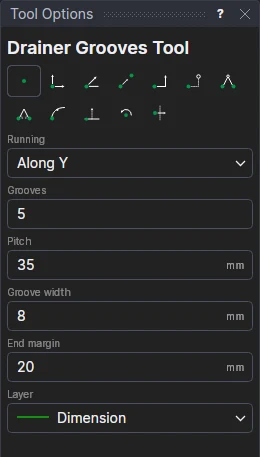
Usage
- Choose which way they are Running (along the area's X or its Y).
- Fill in the number of Grooves, their Pitch (centre to centre), the Groove width (0 draws each groove's centre line, for a V or ball-nosed cutter; a width draws a slot with round ends) and the End margin.
- Choose the Layer (the routing or engraving layer; the Dimension layer by default).
- Click* a corner of the draining area, then the opposite corner.
The grooves are centred across the area. Their sizes are variables (GRVN1, GRVP1, GRVW1, GRVE1) and the grooves a block on them and the corners.
*Depending on the chosen snap mode, several clicks may be required to define the point parametrically. Read more about Snap Modes
See also: Cut-Out Tool, Stone and Tile.