Explode Tool
Use the Explode Tool to break elements into their parts, each a separate element.
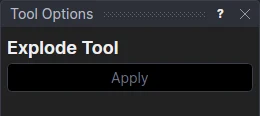
Usage
- Select* the elements to explode.
- Click Apply.
| Element | Becomes |
|---|---|
| Spline | its segments: lines, arcs, Béziers … |
| Polyline, rectangle, polygon | its lines and bulge arcs |
| Hermite curve, Catmull-Rom spline, cubic spline | a piece for each span, from one of its points to the next |
The parts are on the same points, with the element's layer and settings, so nothing is fixed in space. A spline that was joined explodes back into the elements it was made from.
Each span of a Hermite, Catmull-Rom or cubic spline is shaped by the points either side of it, so the curve is kept, on the Construction layer, and its pieces are defined on it: move its points and the pieces follow.
B-splines and NURBS curves can't be exploded, as their spans don't start and end at their points: the ends of the pieces would be fixed in space. Dimensions can't be exploded either.
A spline or polyline is removed. If something else is defined on it, it is kept on the Construction layer so that it still is. The explode is undone in one step.
*Select elements as with the Select Tool: click, drag a rectangle, and hold Shift or Ctrl to add or remove. Read more about selecting
See also: Join Tool.