Join Tool
Use the Join Tool to make elements that meet end to end into one: a spline, cut and selected as a single element.
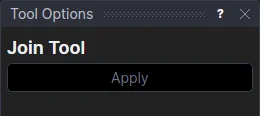
Usage
- Select* two or more elements that meet end to end.
- Click Apply.
Elements are joined where an end of one is the same point as an end of another, in a chain or a closed loop, in whatever order they were selected. The first element selected keeps its direction; each of the others is turned round if it needs to be so that the spline runs on from one to the next.
Lines, arcs, bulge arcs, Béziers, NURBS curves, cubic, Catmull-Rom, Hermite and B-splines, open polylines and splines can be joined, in any combination. Circles, ellipses, closed shapes, infinite lines, elliptical arcs and offsets can't, as they have no ends that are points.
Nothing is converted
Each element becomes a segment of the spline as it is: a line stays a line and a NURBS curve stays a NURBS curve, on the same points. A line and a NURBS curve are not made into one NURBS curve, which would need new control points fixed in space. Move the points and the spline follows, as the elements did. A polyline or spline that is joined adds its own segments.
An element that is turned round is the same shape the other way, still on its own points:
| Element | Turned round |
|---|---|
| Line, Bézier | its points in the other order |
| Arc, bulge arc | its ends swapped, and it runs the other way |
| NURBS curve | its control points, weights and knots in the other order |
| B-spline, Catmull-Rom spline, cubic spline | its points in the other order |
| Hermite curve | its points in the other order, and each tangent the other way (-(…)) |
| Polyline | its points in the other order, and each bulge the other way |
The elements are removed. If something else is defined on one of them, such as a point ONELEMENT(@5,0.5) or a fillet,
that element is kept on the Construction layer so that it still is. The join is undone in one step.
*Select elements as with the Select Tool: click, drag a rectangle, and hold Shift or Ctrl to add or remove. Read more about selecting
See also: Explode Tool.