Skive Tool
Use the Skive Tool to mark an edge to skive: the band along the edge that is pared thinner, so it folds, turns or butts neatly. The band's inner edge is drawn the skive width in from the edge, with a note of the width.
Usage
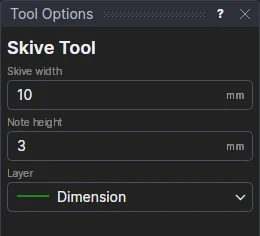
- Fill in the Skive width and the Note height.
- Choose the Layer (the Dimension layer, by default: a mark, not a cut).
- Click the edge: inside a closed piece the band goes inside it; along an open edge it goes on the side you click.
The band's edge is an OFFSET of the edge, the width a variable (SKW1), and the note a block at the band's middle: both follow the edge and the width.
To skive along a fold, use the Fold Line Tool.
See also: Stitch Line Tool, Leather Goods.