Accessories and Fitments
An accessory is a part that is bought in and goes with what you make: a carton's plastic carry handle or euro hang tab, the film behind its window, a gift box's ribbon pull and magnets, a bag's drawstring, a frame's D-rings and wire, a sign's stand-offs, a wallet's snap. Placed from the Parts panel's Accessories folder, each one is parametric (its sizes are its variables), cuts what it needs (a handle's slots, a stand-off's hole), is shown in 3D on the panel or piece it is on, and is costed by every costing report from one shared price list.
Placing an accessory
Open Accessories in the Parts panel and its industry's folder, and drag one onto the drawing:
- One marker (a hang tab, a magnet, a stand-off, a rivet): drop it where it goes; it is centred there.
- Two markers (a carry handle, a rope handle, a drawstring, hanging wire, a zip, webbing, elastic): drop it on its first end, then click the second. A handle's span, a cord's run, a wire's length between its hangers are where you put its ends.
Select it and change its values in Properties, like any part's. Every accessory has these:
| Value | What it is |
|---|---|
AITEM |
What it is bought as: its item in the price list. |
APRICE |
Its own price (each, per metre or per m²); 0 takes the price list's. |
AQTY |
How many there are where it is placed (a set of four bumpers placed once); 0 leaves it out. |
ASIDE |
Which side it is on: 1 the outside once folded (on a flat sheet, the face up as drawn); -1 the inside (underneath). |
and its own sizes (ASPAN, AWIDTH, AHEIGHT, ADIA, ALENGTH, ATAIL …). Its outline is drawn on the
Accessories layer (1001), which is not cut or plotted; what it cuts (slots, holes) is drawn on the Cut layer.
What comes with the app
| Industry | Accessories |
|---|---|
| Packaging | Plastic carry handle, Euro hang tab, Window film, Pour spout, Ribbon pull, Ribbon bow, Closure magnets, Eyelet, Rope handle, Drawstring cord, Elastic closure band, Seal label |
| Picture framing | D-ring hanger, Hanging wire, Turn button, Wall bumper, Sawtooth hanger |
| Sign making | Stand-off, Z-bar cleat |
| Sewing | Zip, Button, Snap fastener, Elastic, Webbing strap, Drawstring cord |
| Leather goods | Rivet, Buckle, Split ring, Metal D-ring, Snap fastener |
Costing
Each accessory counts each, or by the metre (a cord, wire, elastic or webbing: its run between its ends and its
tails at both ends), or by the m² (window film: its width by its height), times its AQTY. File › Reports:
- Accessories and fitments lists them by item for a copy and for a run, and where each one is.
- Board cost and wastage quote and Foam and gasket material quote add a column of the accessories for each quantity (on by default: Add the accessories).
- Laser job time and cost adds them to the job's cost, and Moulding order list lists the fittings.
An accessory with no price (not in the list, and no APRICE) is costed at nothing, and the report says which. Scripts
read them as drawing.accessories (Extension API).
The price list
File › Extensions › Accessory Prices shows the list every report uses: each item, its unit (each, per metre, per
m²), its price in the currency you quote in, its industry and your own code. Change a price, add your own items (Add
Item), and Save. Your prices are kept in your own Extensions folder (Accessories/prices.json) and stand over the
app's; Back to the App's Prices puts the app's items back to their own prices. A part's own APRICE stands over
both.
In 3D
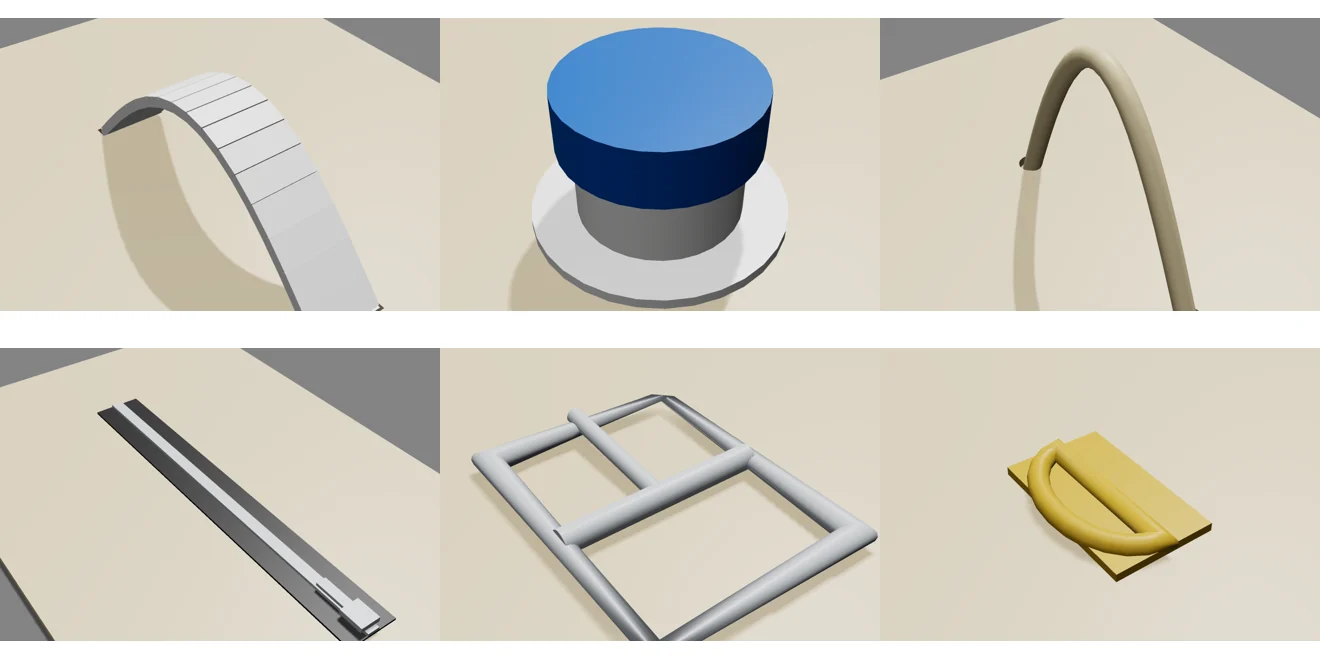
On a 3D page each accessory is made by PiQ from its sizes: a handle's grip arched over its slots, a hang tab standing
past the edge, film behind the window, a ribbon loop, a cord with its tails, D-rings and wire, stand-offs with their
caps. It goes on the panel under it and folds with it (on the outside of a pack, as ASIDE says), or on the solid under
it, or on the floor. Those with an ALOOK value (handles, spouts, ribbons, cords) take an appearance or a colour
(#1f6fc4) in it.
Fitment designs in the library
Run Parametric has packaging fitments and designs that come with their accessories:
| Design | What it is |
|---|---|
| Bottle platform insert with hole grid | A pad with a grid of holes (round or cross slits, in rows or staggered) for bottles, jars or vials, standing on legs that fold down with feet that fold in under it. |
| Shipping case with carry handle | A FEFCO 0201 case with a plastic carry handle through its top flap. |
| Window carton with film and hang tab | A straight tuck end carton with a window, the film behind it and a euro hang tab. |
| Lift-out insert pad with ribbon pulls | A pad with fold-up edges and a ribbon pull at each end to lift it out by. |
The drawstring bag (Sewing), key fob (Leather goods), glass and backing board (Picture framing) and sign panel (Sign making) come with theirs too. Each can be switched off in its values.
Making your own accessory
An accessory is a part whose drawing says what it is. Save one in your Parts folder (in an Accessories folder, or anywhere) with these variables:
ACCESSORY="CarryHandle"
AITEM="My handle","Bought as"
APRICE=0,"Price each (0: the price list's)"
AQTY=1,"How many (0: left out)"
ASPAN=100,"Between the slots"
ACCESSORY is the model it is shown by in 3D (one of CarryHandle, HangTab, WindowFilm, Spout, RibbonPull, RibbonBow,
Magnet, Eyelet, RopeHandle, Drawstring, ElasticBand, SealLabel, HangerDRing, HangingWire, TurnButton, Bumper,
SawtoothHanger, StandOff, Cleat, Zip, Button, Snap, Elastic, Webbing, Rivet, Buckle, SplitRing, DRing), which also says
its unit. Draw its outline on the Accessories layer, what it cuts on the Cut layer, and give it part markers where it
goes. Add its item to the price list.