LAYER3D
Says how a layer's elements are made 3D on a 3D page: as solid bodies of a thickness, or as pockets, cut-outs, V-carving or grooves cut to a depth into the bodies under them.
Syntax
LAYER3D number,KEY=value,…
LAYER3D number
| Argument | Meaning |
|---|---|
| number | The layer's number (as in LAYER). |
Every value is an expression: a variable (THICK=T) keeps the 3D model following the drawing's sizes.
| Key | Meaning |
|---|---|
AS |
What the layer's elements are: "BODY" (the usual), "POCKET", "THROUGH", "VCARVE", "GROOVE" or "NONE" (left out of 3D). See below; "WRAP", "PROFILE" and "PATH" are in Wrapping and sweeping; "HARDWARE", "BAND" and "RUNNER" (fittings, edge banding, drawer runners) and a worktop's CABINETS in Hardware, banding and fixtures. |
THICK |
A body's thickness. Without it, the material's thickness: the drawing's T. |
Z |
The height of a body's underside (0, the floor, without it). With ON, the gap above the layer it sits on. |
ON |
The number of the layer a body sits on: it starts at the top of that layer's bodies under it (a foam stack, a panel on stand-offs). |
DEPTH |
How deep a cut goes. Without it: the element's own machining depth (TOOL DEPTH), else its layer's, else right through. |
FROM |
"TOP" (the usual): cuts go down from the top of the highest body they lie over. "BOTTOM": up from the underside of the lowest. |
ANGLE |
A V-carve's included angle, in degrees (90 without it). |
WIDTH |
A groove's width. Without it, the machining tool's diameter (TOOL DIA), else 1. |
INTO |
The number of the only layer whose bodies the cuts cut. Without it, every body they lie over. |
LOOK |
The material: the id of an appearance ("birch-plywood", "acrylic-clear", "glass-clear", "granite-black" …), or a colour, "#f4f4f0" (a plain satin finish). Without it, the 3D page's material. |
OPACITY |
How much light it stops, 0 (clear) to 1 (solid). Without it, as its material says. |
STEP |
When its bodies are made as the 3D page's slider moves: 1 first, then 2 …; layers with the same step together. Without it, one after another from the bottom up. |
PART |
The name of the part its bodies move with when parts are put together or exploded. Without it, each body is a part of its own. |
EXPLODE |
How far its bodies move out in an exploded view. |
What each AS does:
"BODY": each closed outline is a solid,THICKthick. A closed outline inside another on the same layer is a hole in it, right through; an outline inside that hole is a body again (an island). Overlapping outlines are joined."POCKET": each closed outline is cutDEPTHdeep into the bodies it lies over. An outline inside it is an island left standing."THROUGH": each closed outline is cut right through the bodies it lies over (a sink, a hob, a hole)."VCARVE": each closed outline is carved with a V-shaped cutter: walls sloping in at halfANGLE, made in steps, down to where they meet, or toDEPTHwith a flat bottom."GROOVE": every line, open or closed, is a grooveWIDTHwide (round at its ends),DEPTHdeep: engraving, a gasket groove, a kerf.
LAYER3D number on its own removes the layer's 3D settings. A key given twice is refused.
Examples
T=30
LAYER3D 10,AS="BODY",THICK=T,LOOK="granite-black"
LAYER3D 11,AS="THROUGH"
LAYER3D 12,AS="POCKET",DEPTH=10
P4=[0,0]
P5=[600,0]
P6=[600,400]
P7=[0,400]
POLYLINE @1,[P4,P5,P6,P7],TRUE,10
P8=[100,100]
P9=[300,100]
P10=[300,250]
P11=[100,250]
POLYLINE @2,[P8,P9,P10,P11],TRUE,11
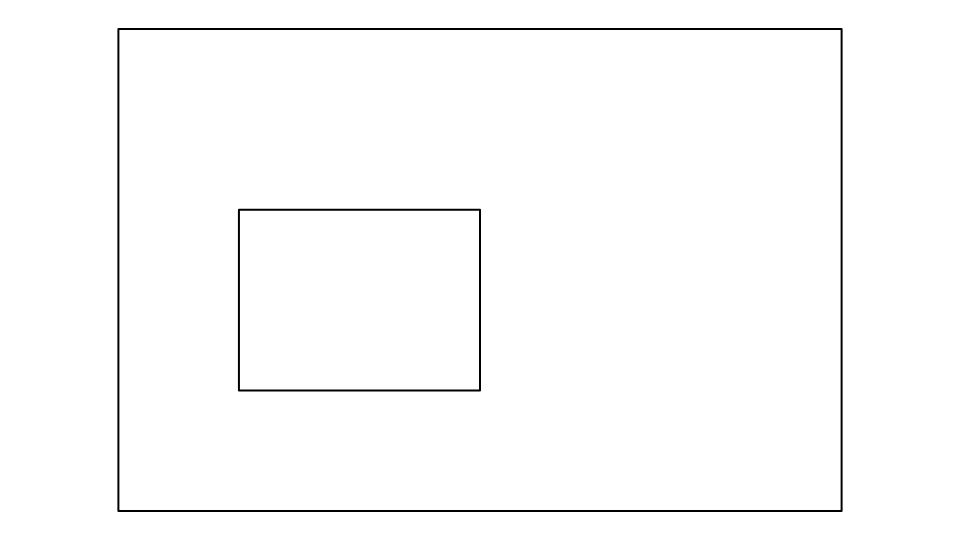
A 600 × 400 worktop, T (30) thick, in black granite, with a sink cut right through it. Change T and the slab
follows.
LAYER3D 20,AS="BODY",THICK=20,LOOK="pe-foam-grey"
LAYER3D 21,AS="BODY",THICK=30,ON=20,LOOK="pe-foam-black"
LAYER3D 22,AS="POCKET",DEPTH=40
A foam insert: a grey base 20 thick, a black layer 30 thick on it, and cavities drawn on layer 22 cut 40 deep, right through the black layer and 10 into the grey.
LAYER3D 30,AS="BODY",THICK=18,LOOK="mdf"
LAYER3D 31,AS="VCARVE",ANGLE=60
LAYER3D 32,AS="BODY",THICK=5,Z=25,LOOK="acrylic-clear",OPACITY=0.4
A routed sign: an MDF board, letters on layer 31 V-carved with a 60° cutter, and a clear acrylic panel held 7 above it on stand-offs.
In a drawing file
A drawing is saved with a LAYER3D line for each layer that has 3D settings, after its variables (so they can use
them), with the values as they were written (expressions stay expressions).
Notes
- Layers without
LAYER3Dsettings are folded as usual, beside the solids (a carton and its foam insert); a layer with settings is never folded. A drawing with noLAYER3Dlines at all is made 3D by folding (or, with nothing to fold, its cut outlines as a boardTthick); see Making drawings 3D. - Elements on a layer without 3D settings that have their own machining settings are cut too: one with
TOOL POCKET=…is a pocketTOOL DEPTHdeep, a drilled one (TOOL DRILL=TRUE) a hole. - A part can have its own
THICK,Z,LOOKandDEPTH, andAS="NONE", over its layer's:RULE THICK=6on its outline (see A part's 3D settings and Making drawings 3D).