OFFSET
Another element moved sideways by a distance: a parallel copy that follows it.
Syntax
OFFSET @source,distance
OFFSET @id,@source,distance,layer
OFFSET @id,@source,distance,layer,CORNERS="MITRE"
| Argument | Meaning |
|---|---|
| @source | The element to offset. |
| distance | How far: positive to the left of the source's direction, negative to the right. An expression, usually a variable. |
| CORNERS | How its corners are joined where it opens away from the source: "ROUND" (the default), "MITRE" or "SQUARE". |
The id, layer and any settings after it are the element settings. Without a layer, the offset goes on the current layer; the Offset Tool writes each offset's layer, by default its source's.
Examples
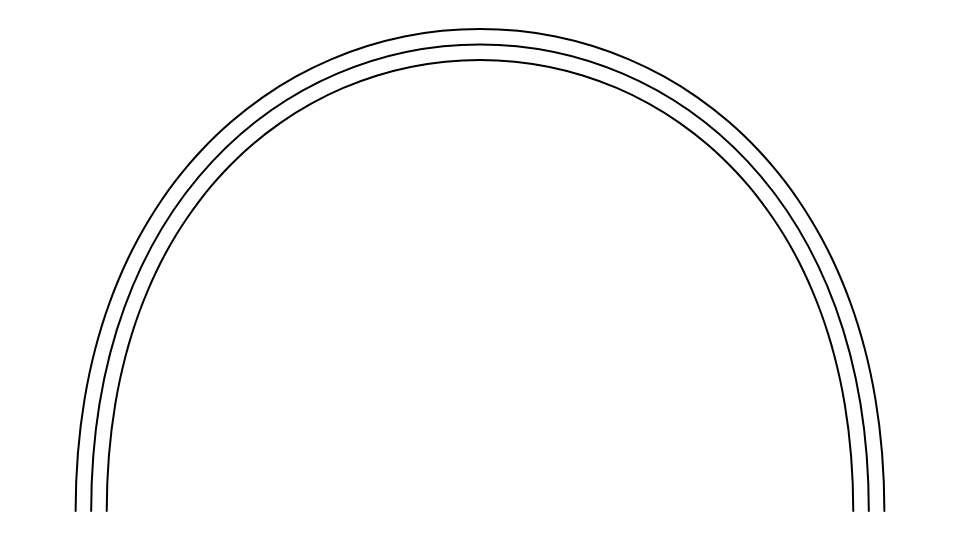
BEZIER @1,P0,P3,P2,P1
GAP=10
OFFSET @2,@1,GAP
OFFSET @3,@1,-GAP
P10=[0,0]
P11=[100,0]
P12=[50,150]
POLYLINE @4,[P10,P11,P12],TRUE
SA=10
OFFSET @5,@4,-SA,0,CORNERS="MITRE"
OFFSET @6,@4,-2*SA,0,CORNERS="SQUARE"
A seam allowance round a triangle (drawn anticlockwise, so its outside is to the right: a negative distance), its corners mitred; and one twice as far out, its corners squared off.
Notes
The offset is worked out from the source whenever the source or the distance changes. Lines and arcs offset exactly, other curves within a small tolerance; a closed source gives a closed offset.
Where the offset opens away from its source at a corner, the corner is rounded (the exact offset), unless
CORNERS says otherwise: CORNERS="MITRE" carries the two sides on until they meet in a point, and
CORNERS="SQUARE" carries them on no further than the distance and cuts across between them (a mitre where they
meet within that: at corners of 90° or more). The Seam Allowance Tool writes them.
See also: PARALLEL, Offset Tool.