PARTDEF
A part kept in the drawing's library: a drawing under a name, placed by that name with PART or NEST, on any page. The drawing is kept once however often it is placed, and every placing shows the same: define it again and every placing changes.
Syntax
PARTDEF "name","drawing"
PARTDEF "name","drawing","source"
PARTDEF "name","","source",EMBEDDED=FALSE
| Argument | Meaning |
|---|---|
| "name" | What the part is placed by. Compared ignoring case; no page may have the same name. |
| "drawing" | The part, as the text of a drawing file (one command per line, \n between them). |
| "source" | The file (or web address) it was read from, kept for reference (optional). |
EMBEDDED=FALSE |
Linked: the drawing isn't kept (it is written "") but read from source whenever the drawing is read, so changing that file changes every placing (optional: kept). |
Examples
PARTDEF "Tab","LINE @1,P0,P1\nLINE @2,P1,P2"
P4=[600,0]
P5=[600,100]
PART @1,P4,P5,"Tab"
PART @2,P5,P4,"Tab"
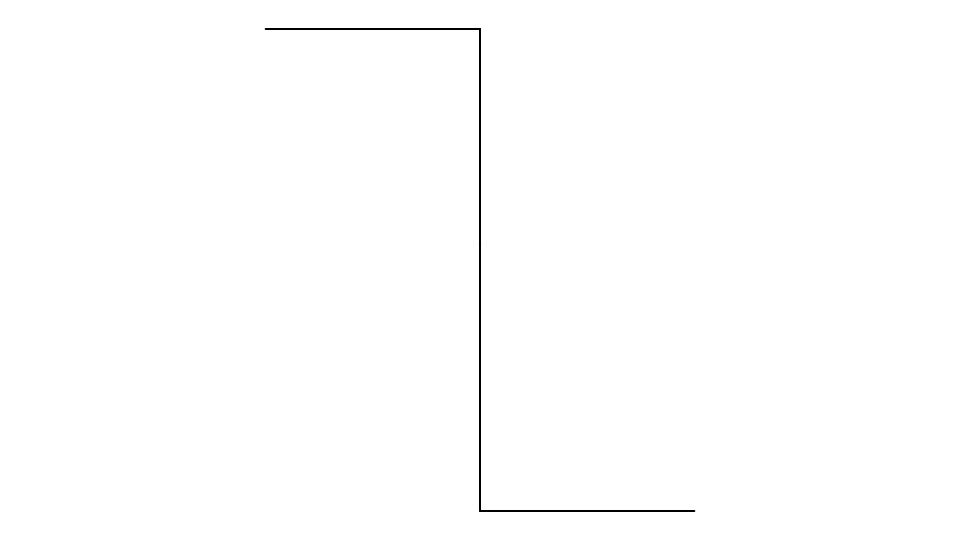
One drawing, Tab, placed twice: once turned a quarter turn, once turned the other way.
PARTDEF "Tab","LINE @1,P0,P1"
P4=[600,0]
P5=[700,0]
PART @1,P4,P5,"Tab"
PARTDEF "Tab","LINE @1,P0,P2"
Defined again, the Tab is a diagonal, and the part placed shows it.
Notes
- Parts come into the library when they are imported (with the Part Import Tool or IMPORT), named after their file; a file already in the library isn't kept twice. Parts read from CF2, DDES3 and DXF files are kept there too.
- A drawing file keeps its library before its pages, so every page can place its parts.
- A page can be placed as a part too, by its name, without a PARTDEF: see Pages.
- A linked part whose file can't be read shows nothing until it can: see Linked files and web addresses.