Grading Sizes
Production › Grade Sizes… draws a drawing in every size of a SELECT block, all together, as a new page of the same drawing (named after the page graded: Page 1 – graded): the nest of sizes a pattern grader works from, and a quick check that the sizes step evenly.
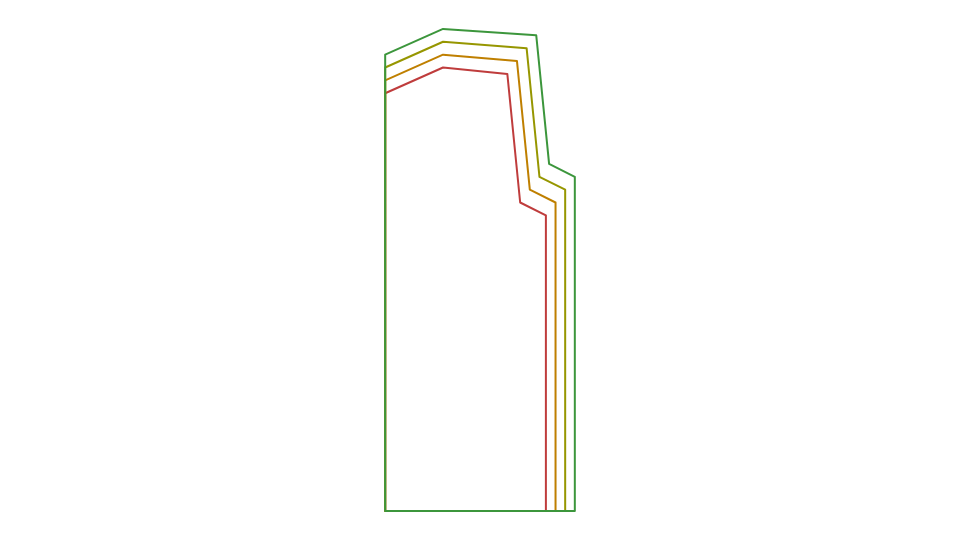
Give the drawing its sizes as a SELECT block: import them from a spreadsheet with File › Import › Import Design Table… (see Materials), or write one:
SELECT SIZE,"Size"
    "S" = 1, CHEST=920, LEN=680
    "M" = 2, CHEST=980, LEN=700 DEFAULT
    "L" = 3, CHEST=1040, LEN=720
END
Draw the pattern on those variables (
CHEST,LEN…), about the point the sizes are to grade from (its origin).Choose Production › Grade Sizes… and, if the drawing has more than one SELECT block, which one the sizes are.
The new page has each size on a layer named after it, in a colour of its own: its cut lines solid, its other lines (creases, notches, grain lines) dashed, on a layer of their own (S – other lines). Dimensions, and layers that are turned off, are left out. Turn sizes on and off in the Layers panel. The page you graded is left in the size it was in, and the new page is undone in one.
To add a seam allowance round a pattern piece, offset its outline with the Offset Tool by a
variable (SA): an apparel drawing started from File › New has SA for its fabric.