Carpet Inlay Tool
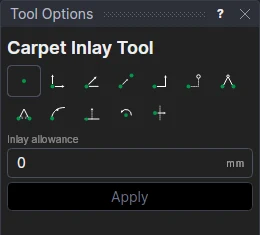
Use the Carpet Inlay Tool for an inlay: a medallion, a logo or a border motif let into the field of a carpet or a rug. The shape is cut out of the field, and the same shape is cut from the inlay carpet to fill the hole.
Usage
- Draw the inlay's shape where it goes in the field, and select it.
- Fill in the Inlay allowance: how much larger the inlay piece is cut all round, for a tight fit (0 for none).
- Click Apply, then mark a point to move the piece from and where it goes (off the field, on the inlay carpet).
The shape stays where it is, as the cut in the field. The inlay piece is a copy of it, moved, and with an allowance cut that much larger all round on the Inlay layer (the moved copy itself is kept on the Construction layer). Each is labelled.
A piece that follows the shape
The piece is copied as the Transform Tool copies, on the shape's points; the allowance is an OFFSET of the copy, its width a variable (INLAY1). Change the shape and the piece follows.
See also: Rug Border Tool, Carpets and flooring.