Contour Cut Tool
Use the Contour Cut Tool for print-and-cut: a smooth cut round a printed design (a sticker, a decal, a printed logo), a distance out from it, that the cutter follows to cut the design out with a margin of print round it.
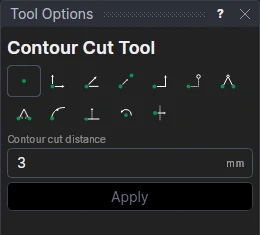
Usage
- Select the design: click it, drag a box round it, or hold Shift to add to what is selected.
- Fill in the Contour cut distance: how far out from the design the cut runs (0 cuts on its outline).
- Click Apply.
The cut goes round the design's closed shapes, rounded at its corners and joined into one cut where the shapes come closer than twice the distance, on the Contour Cut layer (added if the drawing hasn't one).
A cut that follows the design
The cut is a block on CONTOUR: change the design or the distance (the variable CCUT1) and it is worked out again.
For print-and-cut, put the cutter's registration marks round the sheet with the Registration Mark Tool, and print with a bleed: the library's Circle and rectangle decals design (see Vinyl cutting) shows the layout.
See also: Weed Border Tool, Offset Tool.