Bleed, Safe Zones and Spot Colours
Bleed and safe zone
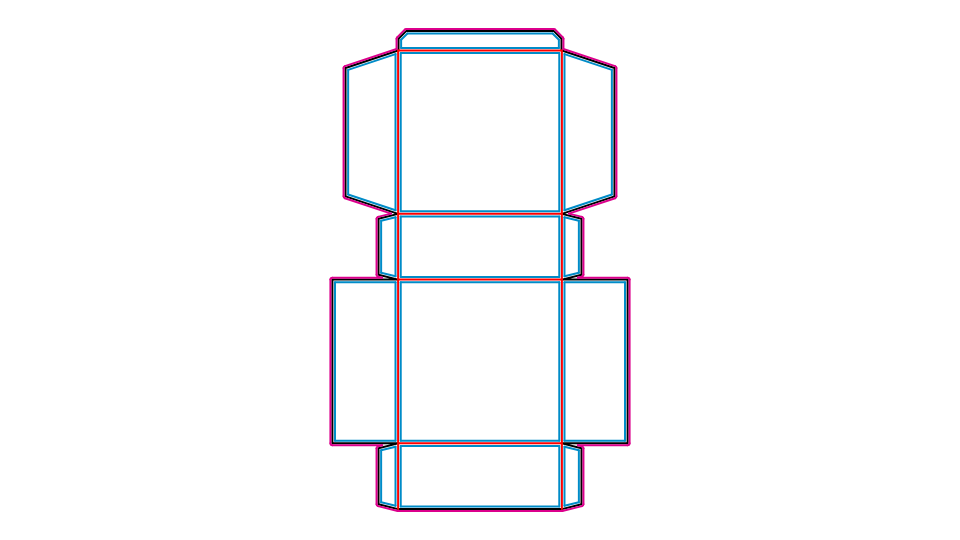
Production › Bleed and Safe Zone… draws, for print, on a new page of the drawing (named after the page it is for: Page 1 – bleed and safe zone), with that page placed on it as a part:
- the bleed: round the outside of each blank, this far out from its cut outline. The artwork runs on to it, so a cut a little off shows no white edge. 3 mm (1/8 in) is usual.
- the safe zone: inside each panel (between its cuts and creases), this far in. Text and anything that mustn't be cut or folded through stays inside it.
They are drawn on layers of their own, Bleed and Safe zone, shown dashed and not plotted. The placed page follows the drawing's sizes, but the bleed and safe-zone lines are fixed where they were worked out: after changing the drawing's sizes, choose the command again for a new page made afresh (numbered if the name is taken), and delete the old one. Give 0 for either to leave it out. The command is undone in one. The drawing needs a closed outline on the Cut layer.
For the printer, Dieline PDF export works the bleed and safe zone out by itself when it writes the file, each a spot colour of its own, and sets the page's trim and bleed boxes: there is no need to draw them first.
Spot colours
When a drawing is exported to PDF, EPS or Illustrator in print colours, a layer can be printed as a spot colour of its own: a separation named after the layer, with the layer's print colour as the ink's look-alike. Tick Spot for the layer in the Layers panel: for a varnish, a white ink, a brand colour, or a dieline layer of your own.
The dieline layers (Cut, Crease, Perforation …) are written as spot colours anyway when the export's Dielines as spot
colours is on, as die-makers and printers expect. A spot colour read from a PDF, EPS or Illustrator file comes in as
a spot colour layer, so it goes out the same way. In a drawing file a spot colour layer is written
LAYER 1001,"Varnish",[200,200,0],PRINTCOLOR=[0,0,0.3,0],SPOT=TRUE.
A layer named for a print finish (Varnish, Spot UV, Matt varnish, Gold foil, Emboss, Deboss …) also shows that finish on the 3D page, in proofs and in 3D files, where its closed outlines are: see Print finishes.