Doorway Tool
Use the Doorway Tool to add a doorway (threshold) to a room's outline: carpet runs on into a doorway, under the door, to the threshold strip, so the piece cut for the room has a tongue there.
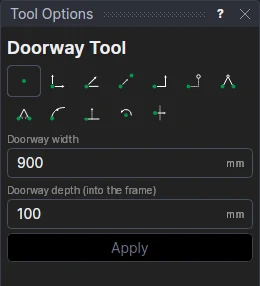
Usage
- Select the room's outline (click it, drag a box round it, or hold Shift to add).
- Fill in the Doorway width and the Doorway depth (into the frame): how far the carpet runs in, to the middle of the door frame or the threshold strip.
- Click Apply, then mark the middle of the doorway on the wall.
The doorway is a rectangle on the outside of the wall, on the outline's layer. Select it with the room for the Roll Layout Tool: the room and its doorways are covered as one floor.
A doorway that stays on its wall
On a straight wall, the doorway is placed from the wall's first corner (a distance along it, the variable DOORX1) and defined on the wall's corners: lengthen the room and it stays where it is on the wall. The width and depth are variables (DOORW1, DOORD1), shared by the next doorways.
See also: Room Outline Tool, Carpets and flooring.