HTV Mirror Tool
Use the HTV Mirror Tool to ready a design for heat-transfer vinyl (HTV, flex or flock). HTV is cut from the back, through the vinyl on its clear carrier, so the design is cut mirrored: pressed onto the garment, it reads the right way round.
Usage
- Select the design: click it, drag a box round it, or hold Shift to add to what is selected.
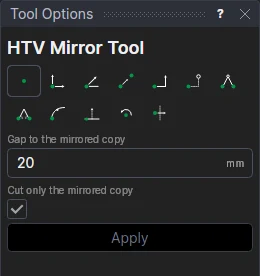
- Fill in the Gap to the mirrored copy: how far to the right of the design the copy goes.
- Leave Cut only the mirrored copy on to move the design itself to the Construction layer, so only the copy is cut; turn it off to keep both.
- Click Apply.
The copy is the design mirrored across an upright line the gap to its right, with MIRRORED written under it on the Dimension layer (not cut).
A copy that follows the design
The copy is made as the Transform Tool copies: on the design's points. Edit the design (change its text, move a point) and the mirrored copy follows. The gap is a variable, HTVG1.
See also: Weed Border Tool, Vinyl cutting.