Identify Base Tool
Use the Identify Base Tool to mark the panel a shape stands on: on the 3D page the shape folds up from that panel, the panel lying on the floor and the rest of the shape above it, the way it stands on a shelf. Mark one panel for each shape (each blank): a carton's bottom, so it stands up rather than lying on its largest side; the foot of a display. The mark is drawn as a small ring over a ground sign, and is never cut, creased or exported.
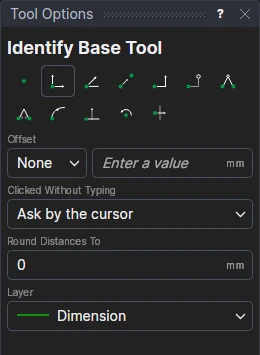
Usage
- Choose the layer: a layer that isn't cut (the Dimension layer, which it starts on).
- Mark* a point inside the panel the shape is to stand on. The mark is shown as you move.
The mark is made in one step: Undo takes it away. A shape has one base: marking another panel of the same shape moves its mark there (in the same step).
What it does in 3D
Without a mark, a shape folds up from its largest panel, which stays where it lies (the whole shape lifted if some of it folds below the floor). With one, it folds up from the panel marked instead: that panel stays on the floor, and if the shape's creases fold it below the panel (its inside facing down), the whole shape is turned over so it rises from it. Shapes that are put with another by their mates are put there as before.
A shape that should close but doesn't may need some of its creases to fold further than the usual 90°: a pillow
box's sides, a gusset folded flat. Give those creases their angle with RULE FOLD= (see
the element settings).
It follows the drawing
The mark is on the point you marked, so it stays on its panel as the drawing's sizes change. It is written to the drawing as a GROUND command, which can also be typed in the Interactive window or edited in the drawing's text.
When it can't
A message explains why no mark was made: the point isn't inside a panel (on a line, in a hole or outside the shape), or the drawing has no panels yet. A mark whose point is no longer on a panel, or a second on one shape, is said on the 3D page and left out.
*Depending on the chosen snap mode, several clicks may be required to define the point parametrically. Read more about Snap Modes
See also: GROUND, Mate Tool, Assembling parts in 3D, Pages.